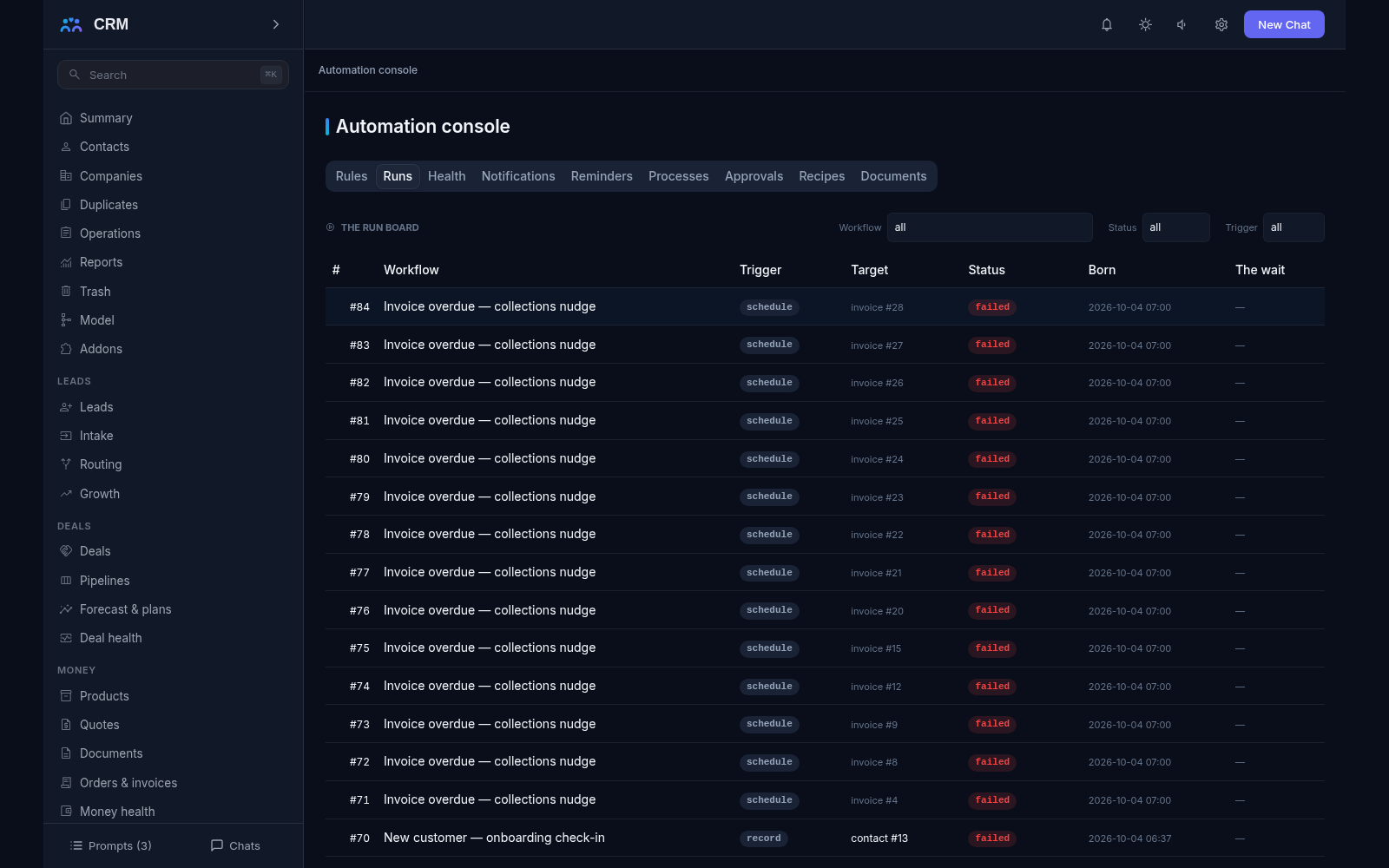
The add-on Automation is the CRM’s robot for routine work: when this happens, do that. A rule can assign an owner, remind about a deadline, send a letter, create a task, move a deal to the next stage or update a field — and it records every run in a journal, so you can always see what happened and why. Where one step is not enough, the same engine walks processes: the same logic as an ordered path with branches, waits and places where a person decides. Everything is managed from the Automation console, whose tabs — Rules, Runs, Health, Notifications, Reminders, Processes, Approvals, Recipes and Documents — show the engine’s work as data.
Why you need it
While there is little work, everything rests on memory: the manager remembers that a customer needs a call back, that a deal should move on, that an invoice is waiting for a signature. At the tenth client and the twentieth rule something always falls through: a deal sits still for a week, a promised letter never leaves, and an important customer goes unnoticed until the complaint call. Routine is invisible until it turns into a loss.
Automation takes that routine off your plate and works around the clock: a rule does not tire, does not go on holiday and does not forget. And it does not hide — every run is visible in the journal, every field change is recorded together with its reason, and before a rule is switched on the product shows a trial count of how many records would fire right now. Automation you can trust is automation you can see.
What it does
- Two forms, one engine. A rule is a short “condition and actions” pair. A process is a path of several steps with branches, returns, waits and places where a human decides. Both dialects run on one executor, so they behave predictably in the same way.
- What starts a run. A record created, changed or deleted (you can watch one specific field), a record entering a stage, a schedule, a manual launch, an external system calling a keyed public address, a product event (a new lead, a ticket, a settled invoice, a signed document), a signal from another rule, or a metric crossing its threshold. Every source the engine can subscribe to is served in one catalog read, and each row names a source that really fires today.
- Conditions are the lists’ own filter. If a rule selects records with the same condition you use in an ordinary list, exactly the same set falls under the rule — the two cannot drift apart. Two extra trigger-side words are added: “the field changed” and “the field was equal to”.
- Placeholders in letters and parameters. Letter bodies and action parameters reference record fields and use a bounded set of functions — join a name, total an amount, format a date. A reference to a field the record does not carry refuses the whole save: a letter with an empty place instead of the client’s name will not go out.
- What a rule can do. Create or update a record (by match keys, so a repeated run does not make copies), link records, send a letter, send a notification, assign an owner, call an external system, create a task with a mandatory deadline, move a record to another stage of the funnel, add a fact to the timeline, run a script, and work with sets of records — find them, loop over them and launch over many targets at once.
- Client letters walk one shared gateway. Customer-facing email goes the same way marketing campaigns do: consents, stop lists, quiet hours and the shared frequency limit are honoured by themselves. One firing — one send: a repeated run will not send the letter a second time.
- Only what changed is written. If a rule sets a field to the value it already holds, nothing happens and the step journals “unchanged”. Every real change is recorded with its old and new value and with the reason: the name of the rule that made it.
- A rule never re-triggers itself by default. By default, automation does not take its own changes as a new reason to fire, and a chain of rules that tug at each other is cut off by a counter: the whole chain is written to the journal, and you can see where it broke. There is also a general switch for writing — it stops the automation instantly.
- A failing rule does not spoil the card. A rule runs as a separate run, not inside the saving of the record. If an action failed, the card is still saved, and the run journal keeps an honest error.
- Waiting costs nothing. If a rule waits for three days or waits for an event, it holds neither a thread nor a timer: the wait is one row in the database that a shared pass wakes at the right moment. A wait for an event ends either with the arrival or with a deadline, and each of these outcomes has its own road.
- Working with sets of records. A rule can find records by a condition, walk them in a loop (at most three levels deep) and launch over many targets at once. Each target in a bulk launch keeps its own status row, so partial success is an honest outcome and one failing item never fails the rest.
- A trial run before switching on. Before a rule is switched on, the product counts how many records would fire right now, and switches the rule on only with a fresh count. Before a bulk launch, it shows how many records will be touched and how many letters or tasks come out of it — without launching and without guessing.
- A quiet mode. For the duration of a data import, the rules that watch that kind of record can be switched off all at once and then exactly the ones that were switched off restored — not everybody in a row. There is also a maintenance window: while it lasts, the automation is silent and accumulates nothing, and afterwards it catches up by its own rule for what exactly was missed.
- Retries and parked runs. A failed run is retried on three levels, the last of which is a human hand: a run that has spent its attempts is parked, the owner receives a notification, and a retry can be launched from the failed step without redoing what is already done. An error from an external system stays in the journal verbatim.
- State as data. A separate tab answers questions without guessing: how many runs are in flight, how many fell (the error share — with its denominator), how many are waiting, how long an ordinary and the longest run last, and which rules fail most often. The report of “dead rules” shows the ones that have not fired for ninety days or never fired at all — with the question “who is responsible for this” beside them.
- The limits are visible numbers. No more than ten actions in one rule, nesting no deeper than three, twenty simultaneously live nested processes, up to five approval steps with up to ten approvers on a step; a hundred runs a minute as the soft limit and five thousand an hour as the hard one; a call to an external system is given seven seconds. The step log is kept for ninety days, the run log for a year. A soft limit does not refuse but queues — and this is said on the run’s final line.
- People in the process. An approval passes over thresholds described in advance: up to a certain sum a manager decides, above that a director. A missed deadline first reminds, then moves one rung up, then the request expires — but the decision is always made by a person, and the automation does not substitute them. A decision is written once and for all: the record of it cannot be changed or deleted.
- Ready recipes. There is a set of templates: typical rules that install in one action and serve as a starting point. Before the install, it shows how many records they will touch, and a repeated install doubles nothing.
- Documents. A rule can prepare the money contour’s papers and fire on signature events: a document signed — the deal moved on, a letter went to the client. Preparing the same document again makes no copies: an unchanged document receives the note “unchanged”.
How it relates to other add-ons
Automation demands nothing: it works on one core, and it can be switched on in the most modest build. But individual actions rest on other add-ons and refuse honestly when they are missing. Letters to clients go through the Marketing gateway; a funnel move — through the gates of Deals; working with papers and signature events — through Money; the send window over working hours — through the calendars of SLA; a notification places a row in the bell of the Notifications add-on; and running your own code is an action of the Scripts add-on. A refusal always names what is missing, and the remaining steps of the rule still run.
The ready-made mechanisms of the contours stay where they are: deal automation, marketing’s touch sequences, lead routing, service queues and the SLA deadlines do not move anywhere. The general builder answers for everything else — for its own objects, for contours without their own automation, for the links between different parts of the product.
Honest limits
- There is no code inside a rule. Letter bodies and parameters allow field references and simple functions only; anything that needs a real program lives in the Scripts add-on and is called as a separate action.
- There is no drawn canvas with arrows and shapes. A process is described as an ordered list of nodes and the order in which they run, and the full modelling notation of dedicated BPMN tools (pools, lanes, simulation) is a named never.
- Automation never decides instead of a person. Approvals, rework and expiry are roads the process walks, but the verdict is always human; the management key that drives the whole product cannot cast an approval decision, and portal users never see automation surfaces at all.
- The standing contour engines do not move onto the generic builder and are not switched off by it: deal automation, marketing journeys, lead routing, service queues and the SLA contours are separate sets of surfaces, and no document proposes moving them here.
- Secrets for external calls are stored write-only. You can put them in, you cannot read them back, and they never appear in journals or exports.
- Calls to internal addresses are closed by default: an outgoing call into your own network refuses until an administrator explicitly allows that address.
- A cascade of rules that change each other’s records stops at the foreseen cap with the chain written to the journal — endless ping-pong between rules is not allowed.
All add-ons → Add-ons catalogue
More in the documentation: Automation: Rules & Processes