The add-on Chat puts a small chat window on your website: a visitor asks a question, leaves contacts or asks for a callback, and the enquiry lands in the CRM straight away. The built-in bot answers typical questions around the clock and hands the dialogue over to a living colleague when it cannot cope with the question itself.
Why you need it
A website visitor rarely calls and does not always write an email: if there is no answer right away, they simply go to a competitor — and you never even learn that they came. A contact form covers this only partly: it stays silent in reply and cannot answer simple questions such as your opening hours, the price of delivery or whether an item is in stock.
Chat gives the visitor a quick way to ask and gives you one more source of enquiries that never gets lost on the way. The bot takes the repetitive questions off the team, and everything that needs a person lands in the shared list of conversations with the whole story attached: who came, from where and what they asked.
What it does
- One line on your site. The widget is inserted with one short line of code on the page. It sets no tracking files, makes no requests to anybody else’s servers and needs no separate libraries — every request goes to your own site. The page’s weight and behaviour barely change.
- Consent first — records second. Until the visitor ticks the consent checkbox for data processing, not a single record is created about them: no session, no message, no conversation. The checkbox is the permission for a row to appear in the database, so there are no “accidentally collected” data.
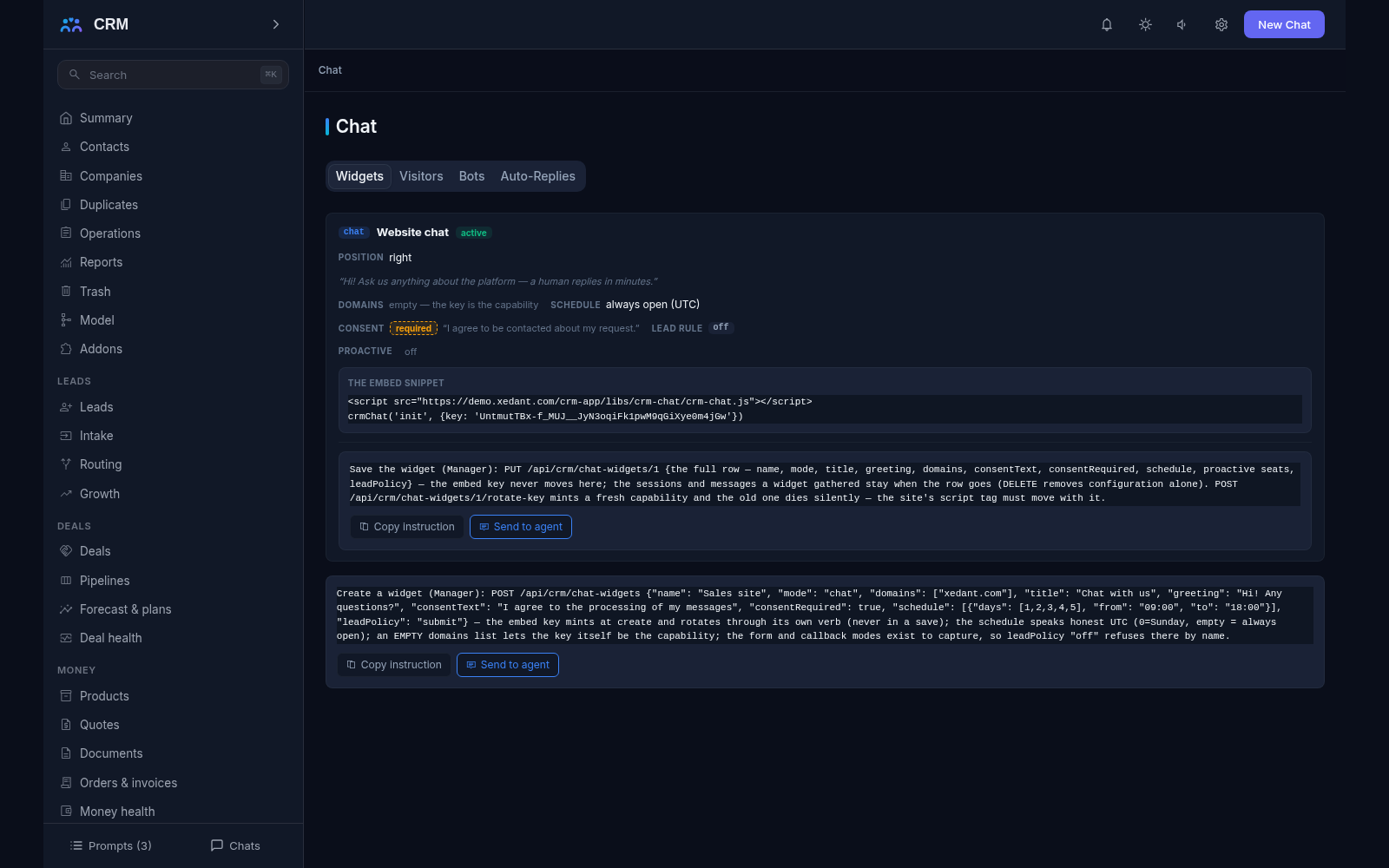
- Settings for your own site. The widget carries: the list of domains it is allowed to work on, its mode (chat, form, callback), a schedule in the site’s time zone, and invitations to a conversation. Invitations are shown only when there is somebody to answer.
- No people — no window. The widget does not appear if the schedule says closed or (in chat mode) no employee is on line. That is more honest than showing a window and not answering: the product does not promise a conversation that will not happen.
- The visitor and their path to the site. The session keeps the campaign tags the person arrived with, verbatim. When the visitor identifies themselves, the session is linked to their customer card — the link is one-way and the first binding wins, so nobody else’s data is “re-pasted” onto another person.
- The enquiry becomes a lead. When a visitor is identified, a lead may be born — by your own rule: right at the form submission, after several messages, or never. If the visitor carries campaign tags, they land in their source, and you can see where the customer came from.
- A bot with a mandatory way out to a human. The bot is assembled as a data scenario: a question, an answer branch, collecting details, a handoff to a person, an answer from the knowledge base. The “call a human” button is always there — it cannot be removed from the scenario, however much one might want to: a draft without a reachable handoff step simply does not save. The collection form asks several fields in one message, instead of dragging the visitor through one question at a time.
- If the bot did not understand — it calls a human itself. Several messages in a row that found no answer end with the conversation being handed to a living employee. The rule works without a bot too: if only keyword auto-replies are enabled and none of them fired several times in a row, the conversation also goes to a human.
- Taking over the conversation. An employee can take the conversation away from the bot with one action. After that the bot never returns to it — forever. That way the visitor never gets two voices from one window.
- A report that reconciles with the journal. The bot’s numbers are computed from the journal at the moment you look: how many conversations ran, what share the bot closed by itself, how many it handed to people, where visitors most often drop the conversation. No separately entered counters living a life of their own.
- Answers only from your own facts. The bot answers from your knowledge base with a bounded set of topics, and every answer carries a link to its source. A question outside the known bounds gets no invented answer: the bot says it will call a colleague, and the conversation passes to a human.
- One workplace. The Chat section is assembled from the tabs Widgets, Visitors, Bots and Auto-Replies. The section only reads: changes are made by commands to the AI agent, which can be copied from the interface.
How it relates to other add-ons
The widget rests on Inbox: a visitor’s conversation becomes an ordinary dialogue in the shared list, with the same history and the same queue. If Inbox is switched off, the product does not break — sessions and messages keep being written, but no dialogues and no shared list appear.
For the bot’s answers from your own facts, the Knowledge base add-on is useful: it stores articles and ready answers from which the bot takes verified information. It also feeds the answers employees give in other channels.
Honest limits
- There is no live operator reply into the visitor’s window: only the bot and the automatic replies write into the visitor’s panel. An operator continues the conversation by other means — email or a messenger. That is a named gap, not a hidden fault.
- There are no external language models here: the only source of answers is your own verified facts. That is why a question like “what is the weather today” gets not an invented answer but an invitation to call a human.
- Taking a conversation over from the bot is irreversible: after the handover to a person, the bot does not return to that conversation. There is no way back to automatic mode — that is deliberate, so the visitor does not get contradictory answers.
- The “call a human” button cannot be removed. A scenario without a reachable handoff step to a person simply does not save — the way out to a living employee is built into the machinery itself, not left to the scenario author’s conscience.
- A session is linked to a client in one direction only, and only once: the product does not rewrite history on a repeated identification and does not merge two clients by itself, even when they came from one computer.
- Enquiries from social networks and other systems arrive through the shared intake door: the widget has no separate connections to platforms, and it does not try to be “a single window into every service”.
- Search through past conversations inside the visitor’s window is not built; the product-wide search does search conversations and clients.
- The Chat section only reads, and that is deliberate: even an employee taking a conversation over is shown as a command to the AI agent. That way every action on correspondence always carries a responsible trace.
All add-ons → Add-ons catalogue