The add-on Money runs the whole chain from quote to payment: the catalogue of goods and services with prices, quotes to customers, orders, invoices, payments, contracts and subscriptions, and what customers still owe you. Revenue and receivables stay under control without separate spreadsheets and manual bookkeeping.
Why you need it
When prices live in one file, quotes are assembled in another and invoices are issued in a third, a company loses money without noticing. A payment reminder was forgotten, so the money arrived two months later. Nobody noticed the customer had already exceeded a sensible debt, and more was shipped. The contract expired in March, while work under it continued until June.
Money gathers the whole chain in one place and ties it to the deal: where a quote came from, what was ordered against it, what has shipped, what has been invoiced and what has been paid. Prices are computed by your rules rather than a manager’s memory, payment and renewal dates do not slip past, and receivables are visible by age — so you know who to call first.
What it does
- The product catalogue and bundles. Every item carries a name, SKU, category, unit of measure, tax rate, list price and cost price. A bundle sells one product as a set of several. A disabled item disappears from pickers while old documents keep the prices they were written with.
- Prices, discounts and the rules journal. Price books, pricing rules and discount schedules are all data: a price can depend on quantity, customer or category. Every line carries the journal of the rules that ran, so you can see why the price came out the way it did. Selling below cost only warns by default and does not forbid.
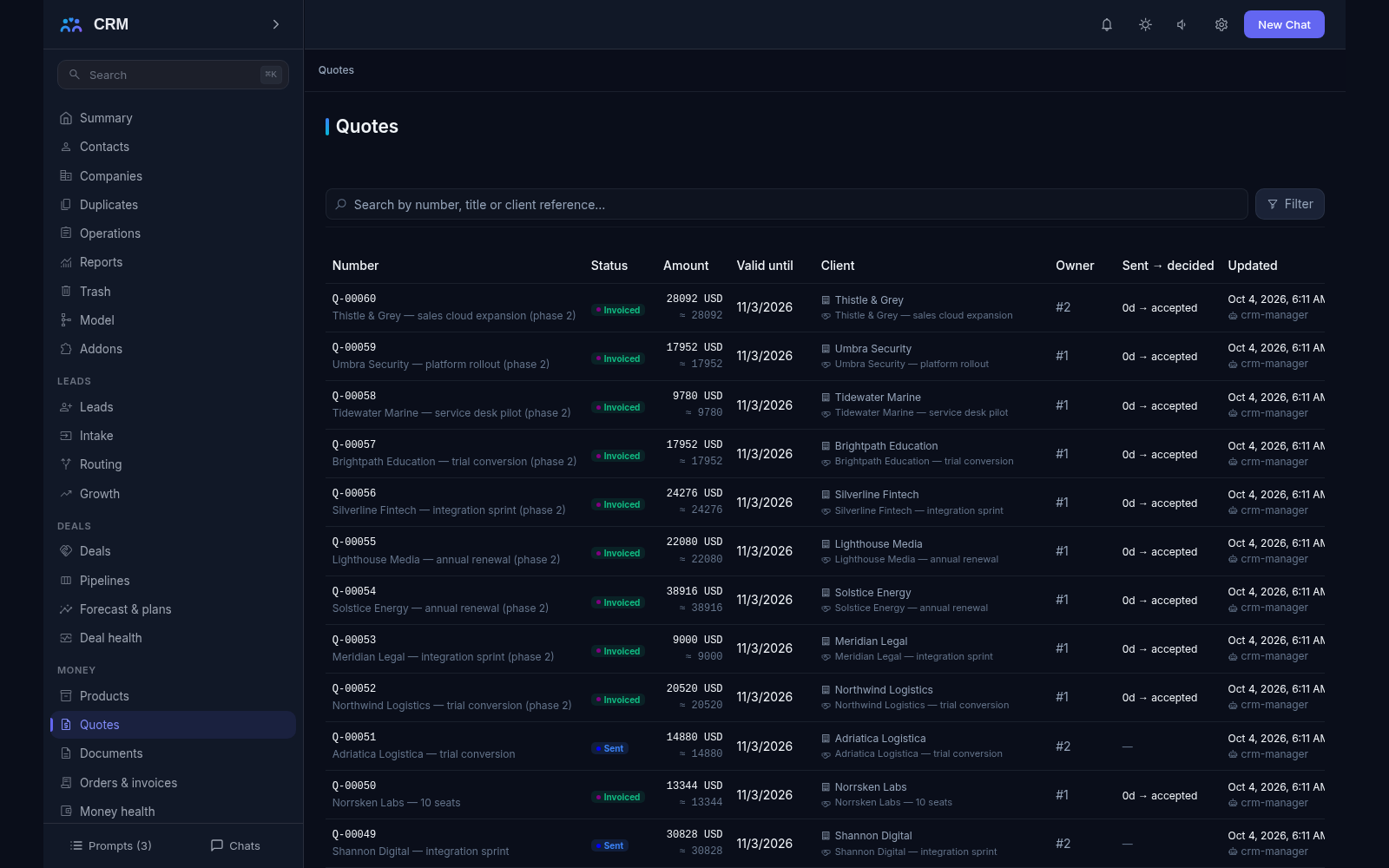
- Quotes and their lifecycle. A quote moves through draft, sent, viewed, accepted or rejected with a reason. It is emailed with a link to a public page where the customer reads the document — and you see that it was opened. There are versions: an edit after sending never overwrites what the customer already saw.
- Orders and fulfillment. An order is born from an accepted quote, so the prices in it are the ones the customer agreed to. Its delivery and billing state are computed: you see what is still to ship and what is still to invoice, and partial shipments — with the remainder visible on every line — are the norm.
- Invoices, payments and credit notes. An invoice is born from an accepted quote or a submitted order, and receives its number and due date. Payments spread across invoices in one operation, and an unallocated remainder becomes an advance that offsets future invoices. A wrong invoice is never deleted — it is corrected by a credit note, so the history stays complete.
- Receivables, aging and reminders. The aging report splits open balances into current, 0–7, 8–30, 31–90 and over 90 days past due. A dunning ladder — an in-app message, an email, a task for the owner — stops by itself when the invoice is paid or an agreement is recorded, and a brake on the invoice or on the whole company, always with a mandatory reason, can hold it. The payment forecast is built from the payer’s own history, not from promises.
- Credit limits. A limit is set per company and legal entity in a specific currency and checked at exactly two posting moments: submitting an order and issuing an invoice. Drafts hold nothing back. You choose whether the product warns or blocks. A diagnostics read explains why a document was not blocked.
- Contracts. A contract register holds dates, a notice period and auto-renewal; no end date means the contract is perpetual. Reminders fire 120, 90, 60 and 30 days before the end, and a renewal quote is prepared a month ahead with prices from the current price book. Renewal without a deliberate confirmation does not happen.
- Acts and supplementary documents. Legal paperwork is kept typed — contract, amendment, annex, agreement, act, UPD, other. Templates print a document from the contract’s own facts, scans attach as files, and a signed document is never edited: a superseding document is issued instead, and the chain of who replaced whom stays readable forever.
- Subscriptions and recurring invoices. A subscription carries its own billing plan — monthly, quarterly or yearly, with a trial period, a grace period and lead-time invoicing — and the daily sweep generates exactly one invoice per period, so replaying a pass never double-bills. A subscription can be activated only after payment. Past the grace period an unpaid subscription stops, and stopping is final: the way on is a fresh subscription. Changing the plan mid-period is previewed first (what to credit, what to invoice, the net amount) and only then applied as a credit note plus an amendment invoice.
- Delivery notes and blanket orders. A delivery note records what was shipped and when, and carries no prices — money lives in the invoice. An issued note is never edited: a return is a reversal note. A blanket order commits a volume for a term, and the draw-down is visible as “drawn against the remaining”.
- Supplier quotes and signatures. Supplier prices are kept in their own table, and a comparison matrix shows who has an item and where nobody does. Signing is a queue of signers with its own public page: turn order is strictly enforced, one refusal retires the whole envelope, and the signing trail stays.
- Print forms, templates and numbering. Print forms for quotes, invoices, orders, contracts, acts and delivery notes are configured as templates with the document’s own fields. Numbers come from per-legal-entity series — Q, ORD, INV, CN, ACT, SUB — and never change after issue, and mass printing runs over a batch of documents.
- Reports from quote to cash. The quote funnel, revenue by product, order backlog, a money summary and open receivables are computed from your own documents, every figure traceable. “Money by deal” and “money by company” bring quotes, orders, invoices and receivables together on one line, and every list exports to CSV. The reports repeat the same computation the screens show — never a second truth.
How it relates to other add-ons
Money rests on Deals — that is a required dependency. Until Deals is switched on, Money can neither be installed nor enabled: its prices rest on the currency dictionary Deals maintains, and quotes, orders, invoices and contracts anchor to a deal, so without it the documents have nothing to attach to. The reverse holds too — the product will not let you switch Deals off while Money is running, because the money contour would lose its base. The practical order is therefore: Deals first, then Money. Marketing, in turn, rests on Money, since loyalty programmes and coupons read its pricing rules. Money’s data is not lost when the add-on is switched off: it is kept and comes back the moment you switch it on again.
Honest limits
- Financial documents are never deleted. A draft can go to trash, but a posted document is a fact: a correction is a credit note, and a replacement is a new document in the chain. There are no free-floating money documents either — every one has a customer and, as a rule, a deal.
- An order cannot be created by hand: it is born from a quote, and an invoice from an accepted quote or a submitted order. That is exactly what keeps prices and terms equal to what the customer agreed to.
- There is no bank feed: receivables are computed from the payments you recorded, not from the movement of money in your bank. Refunding money to a customer is outside the product — only the intention to refund is recorded.
- There is no payment collection: the product issues invoices and tracks settlement, but never charges a card. Connecting a payment provider is a separate path, deferred to future versions.
- There is no cryptographic e-signature of its own: the product keeps the queue of signers and the signing trail, while connecting to signature operators is left for the future. It never invents what a signature means — the method is recorded as stated.
- There is no warehouse: stock reservation, several warehouses and warehouse accounting are separate systems. The delivery schedule is kept on the order lines, and warehouse demand stays outside the product. No screen pretends to be a warehouse.
- There is no procurement: purchase orders, receipt notes and bills to pay are outside the product. Only the comparison of supplier quotes lives here, to choose a price.
- There is no ready PDF file on the server: printing goes through the browser’s print-to-PDF, so a page number in the footer is not filled in.
- Reminders send nothing without your decision: the dunning ladder sleeps until it is assigned to an invoice. Missed rungs are never sent retroactively — a customer will not receive a pile of overdue letters at once.
- A currency without a rate is never counted as one to one: the product refuses and names the problem. Netting invoices in different currencies is not supported.
- Contracts are a register with reminders, dates and obligations-as-tasks rather than a full contract-management system: libraries of standard clauses and editing signed versions are separate systems.
- Dunning reports over thin data answer an empty value, not a false zero: a “zero overdue” never appears out of nowhere.
All add-ons → Add-ons catalogue