The add-on Service turns customer requests into tickets: every appeal — a letter to the support mailbox, a form, a chat, a messenger message, a phone call or a record from an outside system — gets one queue, one owner, one status and one deadline. The work is gathered in the Service console, whose tabs are Workspace, Classification, Routing, Intake, Macros and Triage.
Why you need it
Requests arrive from everywhere at once: a letter to the shared mailbox, a question in the website chat, a messenger message, a call. While they are sorted by hand, some get lost — someone already answered, someone else has been waiting three days. The customer does not know what is happening to them, and nobody in the office can say how many requests are open right now or where the pile-up sits.
Service gives every request one place, one responsible person and one deadline. You can see what is waiting for an answer, what is waiting for the customer and what is already done; the queue hands new requests out by itself, ready-made replies speed up the work, and nothing is left “in someone’s memory”. It is the root add-on of the service contour: the other service add-ons — SLA, Portal, Feedback, ITSM and Contracts — build on top of it.
What it does
- One ticket for any request. The channel is an attribute of the ticket, not a separate product: a letter, a website form, a chat, a messenger, a call, an external system or manual creation all give the same ticket with a number, a subject, the client and the company. The door a request came through is a setting. A repeated letter on the same subject from the same client is attached to the open ticket instead of creating a second one; an external system that sends one event twice gets an answer about the standing ticket and changes nothing.
- A ticket and a conversation are not the same thing. A chat becomes a ticket only by an employee’s explicit action: the whole conversation moves into the new ticket, the bot’s answers included, and nothing is lost in the handover. The conversation that follows stays a conversation, and the ticket lives its own life.
- A queue and an owner are always there. At the moment it appears, a ticket lands in a queue and receives an owner. Handing it to another employee is a separate action with a mandatory reason: who, to whom and why is visible. A ticket that could not be distributed automatically is honestly flagged “without an owner” in triage, not ticking silently.
- Rule-based triage. When a ticket appears, a set of rules proposes a queue, a category, a priority and suitable articles from the knowledge base. A confident proposal is highlighted, a doubtful one is shown with a caveat, an uncertain one is not shown at all. Every acceptance and rejection stays in the journal, and no proposal ever sends an answer to the client by itself: without a person’s acceptance it simply dissolves. If no rule matched, the ticket is honestly counted as “unknown” — a legal outcome, not “other”.
- Queues, rules and distribution. Rule conditions are assembled from the same filters the lists use, and the distribution strategy is set per queue: by hand, round robin, to the least busy, or by skill. Every automatic assignment is written down with its explanation, and the check “where would this ticket land” answers without changing anything. If assignment failed several times in a row, the ticket goes to triage with a mark, and the automation stops touching it — a person works with it.
- Substitution and collaboration. For a holiday or an absence you can appoint a substitute: unstarted tickets go to the colleague once, started ones stay with their former owner, and every move is recorded. Inside a ticket, employees correspond in internal notes, mention colleagues by name (a mistyped name refuses the whole note) and receive one notification per note. You can watch a ticket or its conversation, hand it over with a reason, and split it into two tickets when one request holds two different questions.
- The internal stays internal. Internal notes and attachments never reach the client on any screen — the rule is checked on the server, not “hidden” on the client’s side. That covers the office, the customer cabinet, external access and exports.
- What needs attention. The Workspace tab gathers the groups: the deadline is close, the deadline is already broken, tickets without an owner, waiting for the client’s answer, where you were mentioned and what you follow. Beside them, the load per queue and per employee. All numbers are computed from the journal at the moment of reading, so they never disagree with reality. There are saved views — personal and team ones, with three ready: “Mine for today”, “Burning by SLA” and “Waiting for the client”. The ticket list shows the last message and the deadline on every row; by default it puts the ticket with the nearest deadline on top.
- Macros, ready replies and bulk actions. A macro is a set of actions in strict order: first the ticket’s status, then fields, tags and assignment, and only at the end the message. So an answer cannot “run ahead” of its own status and does not spoil the reports. Client and ticket data are substituted into the text; an unknown variable refuses the save instead of being substituted with emptiness. Before a public reply is sent, the product shows what exactly will go out and what will change, and only the confirmation really sends. Internal notes need no confirmation. One macro can be applied to selected tickets at once — no more than a hundred at a time, with a preview of how many rows are affected; every run stays in the journal, and the ticket itself keeps the trace.
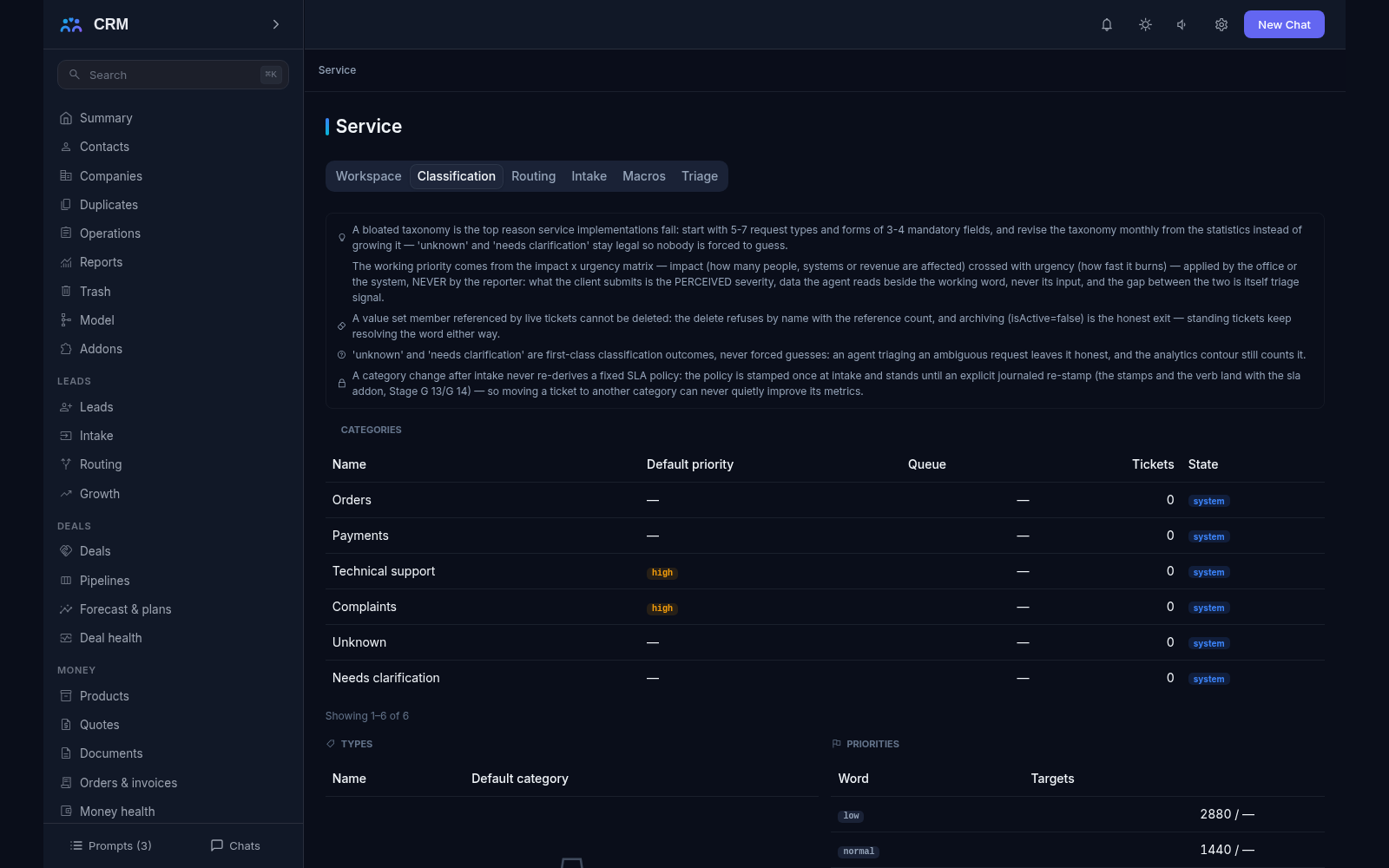
- One console. The Service console gathers the Workspace, Classification, Routing, Intake, Macros and Triage tabs. It only reads: changes are made by agent commands, which can be copied straight from the interface.
How it relates to other add-ons
Service is the root of the service contour; the add-on itself depends on no add-on at all. The other way round, SLA, Portal, Feedback, ITSM and Contracts depend on it: while Service is not installed, they cannot be switched on.
Service is linked to Inbox in two ways: turning a chat into a ticket is an explicit action, and the employee’s online-or-offline state is taken from the status board, so the queue never assigns a ticket to somebody who is not working. If Inbox is switched off, the product does not break: the chat conversion refuses by name, and the queue simply keeps the ticket to itself instead of handing it to a phantom owner.
Triage works with the Knowledge base: suitable articles are offered as hints. If the knowledge base is off, triage keeps working — just without hints. Mentions of colleagues rest on Notifications: without them the note stays in place and no notification is sent. The deadlines on the Workspace tab come from SLA: without it everything works, and the time shown is honestly called wall-clock time.
Honest limits
- An external language model is not connected to triage. The suggestions come from a set of rules, and that is said plainly: the journal names the source “rules”, not “artificial intelligence”. The seat for a future model is prepared; the model itself is a deferral.
- Side conversations inside a request, a manager reviewing a draft before it is sent and shared drafts are not built. Splitting is also simpler than one might expect: the child request carries its own wording rather than moving selected messages out of the parent.
- There is no public request form in this add-on. The form a customer fills in lives in Portal, and the Intake tab shows the mailbox, external API and chat-conversion settings, not a form builder.
- A priority named by the client — “critical” on a form, for instance — never sets the clock. It stays a hint for the agent, while the working priority is decided by the impact and urgency matrix.
- A category, type or priority that tickets reference cannot be deleted — only switched off, otherwise history would stop understanding its own words. The values “unknown” and “needs clarification” remain legal results of triage.
- Speed and quality reports are numbers for growth, not a competition between employees. No screen builds a “who is better” table: every share shows the denominator it was computed from.
All add-ons → Add-ons catalogue