Telegram bots and chat on your website: build the dialog with your mouse, test it on the emulator and hand part of the answers to AI
Chatbot Agent is a program for building and managing bots that you run on your own server. The bot is assembled in a visual studio from ready-made blocks, checked on the built-in emulator — without a real Telegram, a token or the internet — and connected to AI with a knowledge base. The same bot answers in Telegram, on a public chat page and as a widget right on your website. And when the ready-made capabilities are not enough, they are extended with a small Python script: your own system is connected to the bot, your own channel like SMS or email — and even your own AI model.
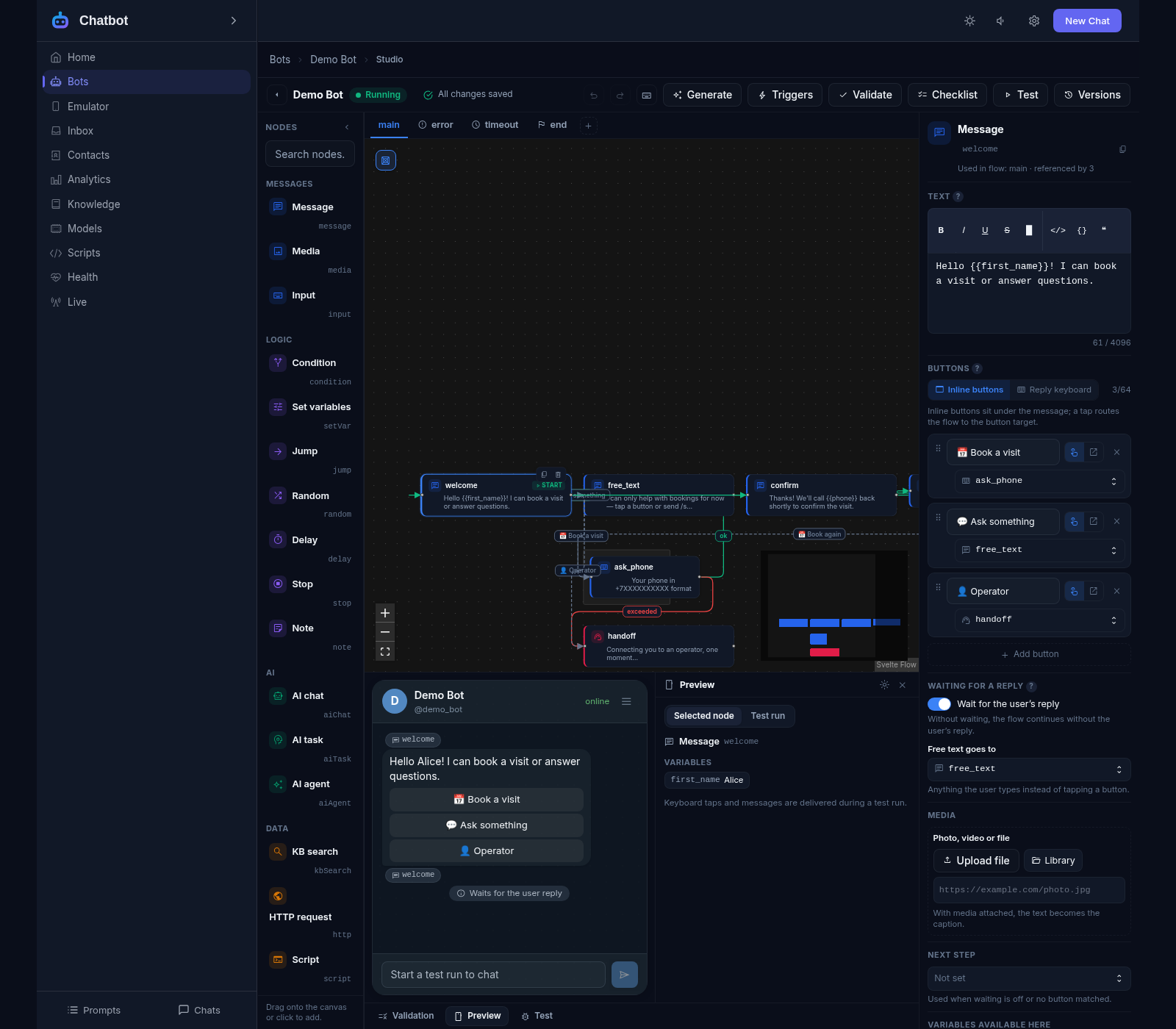
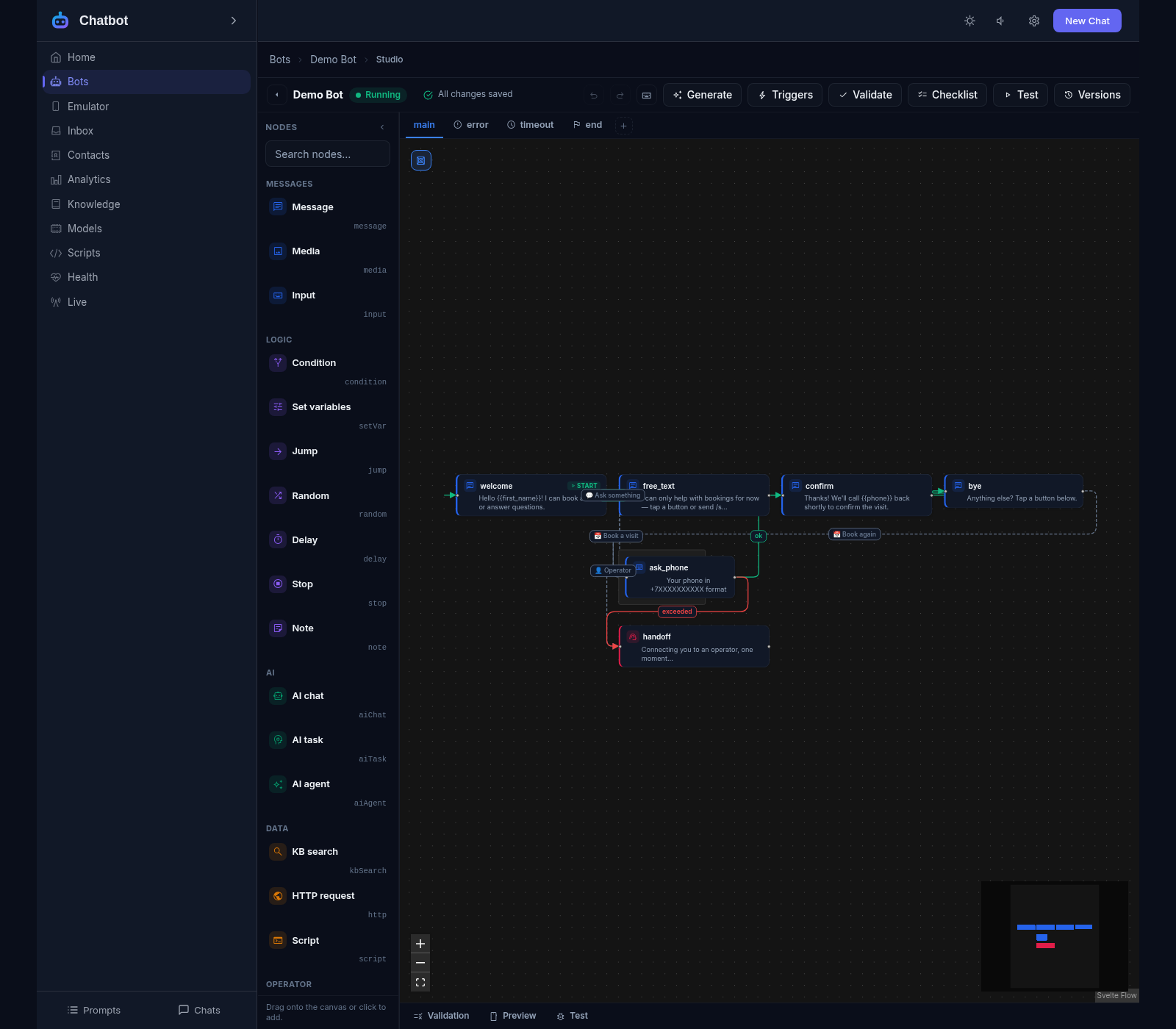
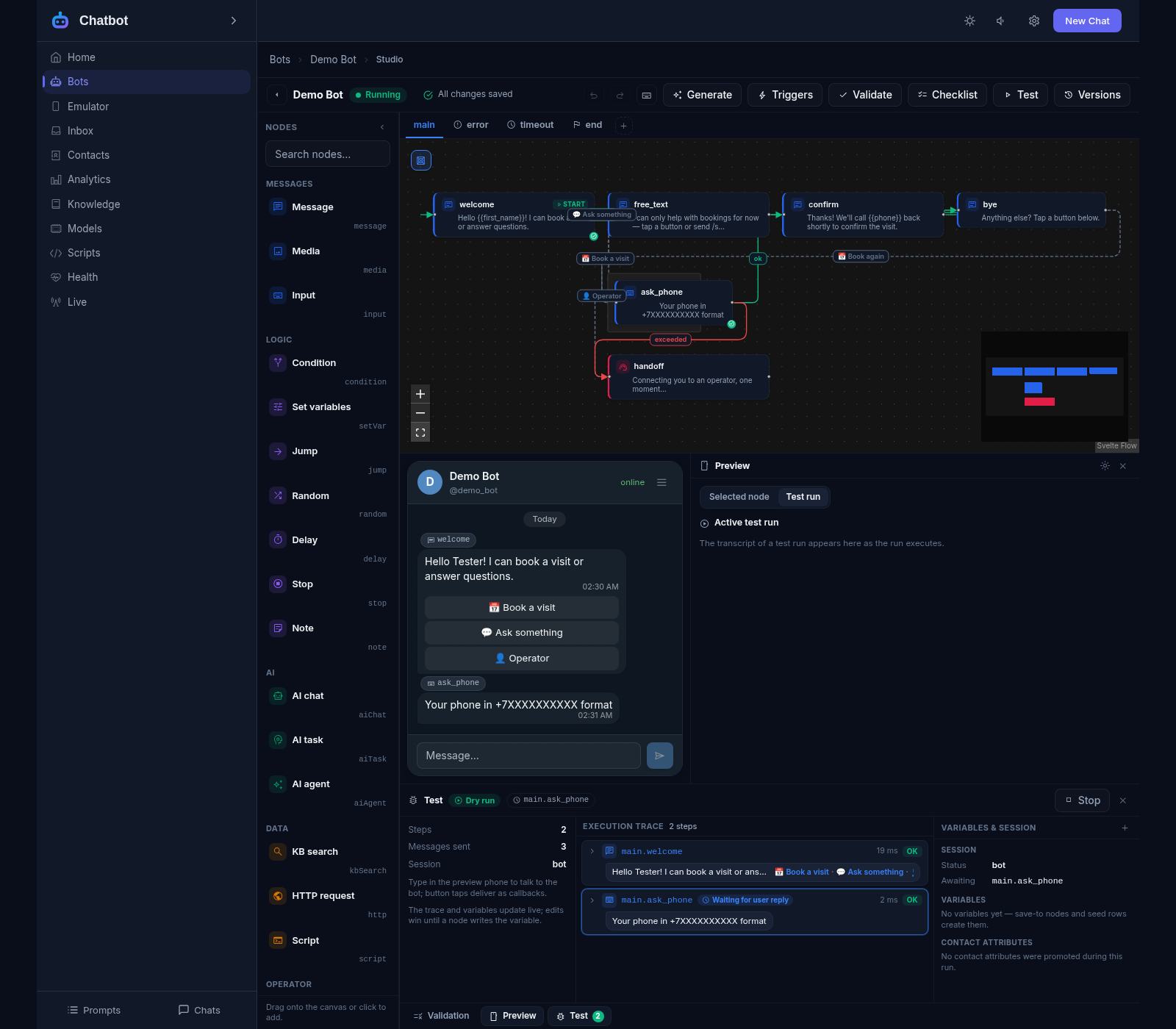
Visual studio: assemble the dialog from blocks with the mouse
18 node types: messages, questions, conditions, AI, knowledge base, HTTP, scripts
Live preview: see how the message looks in Telegram
Bot templates and first-draft generation with AI
Version history: bring back an earlier scenario in one click
Publish checklist: 14 checks that the bot is ready
The scenario is a file: take it out, edit it, move it anywhere
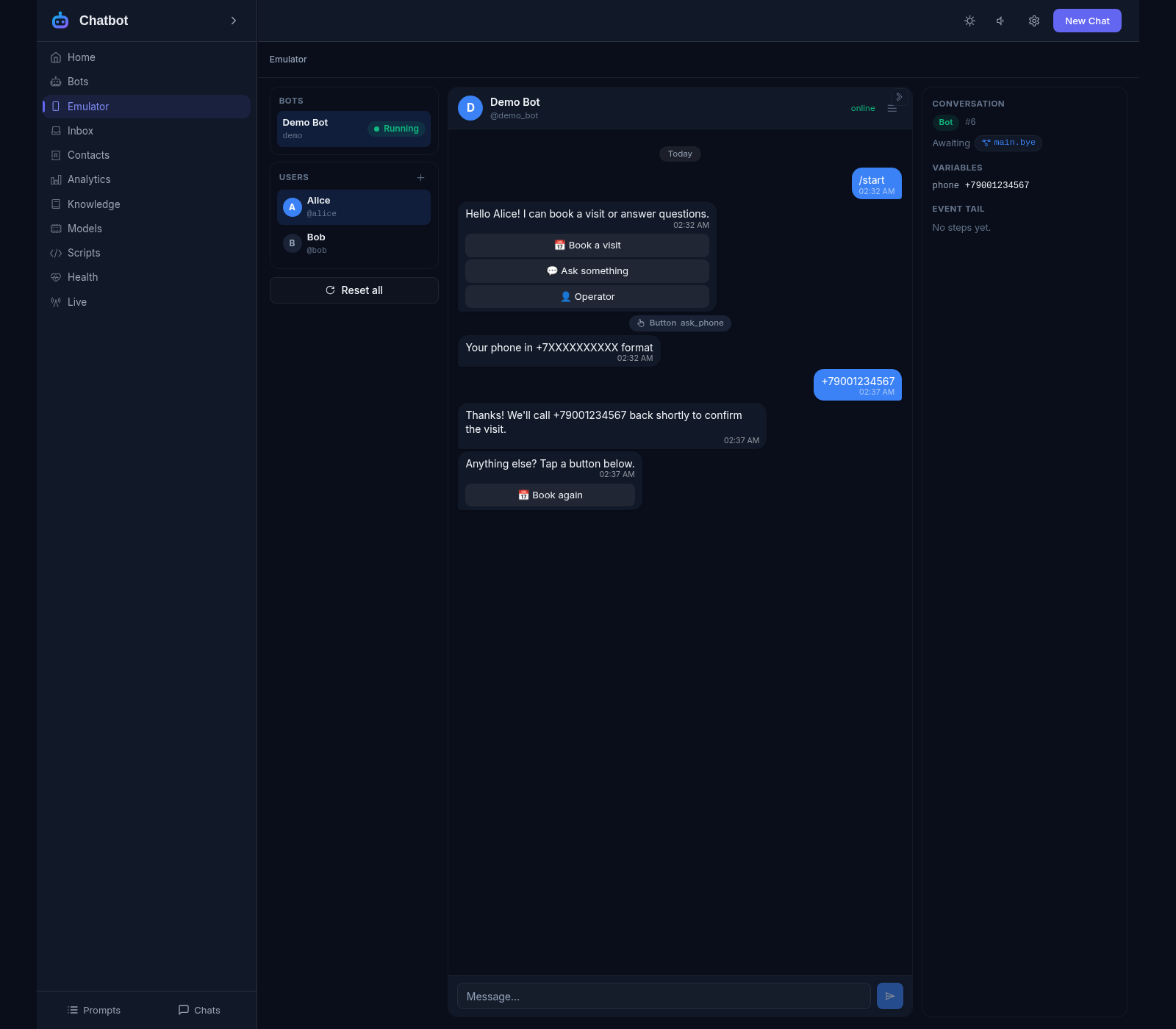
Telegram emulator: test without a real bot, token or network
Dry run: the bot answers but sends nothing to anyone
Single node runs, replay of recorded dialogues, full tracing
Pauses, timeouts and scheduled runs survive a restart
Segment broadcasts with pause and resume
Logs and the status screen: everything visible in real time
Runs on your own server in one container, all data stays with you
Economical in idle: the processor is not loaded, and the memory in use is released after 15 minutes without activity — the product sits comfortably alongside other services on one server
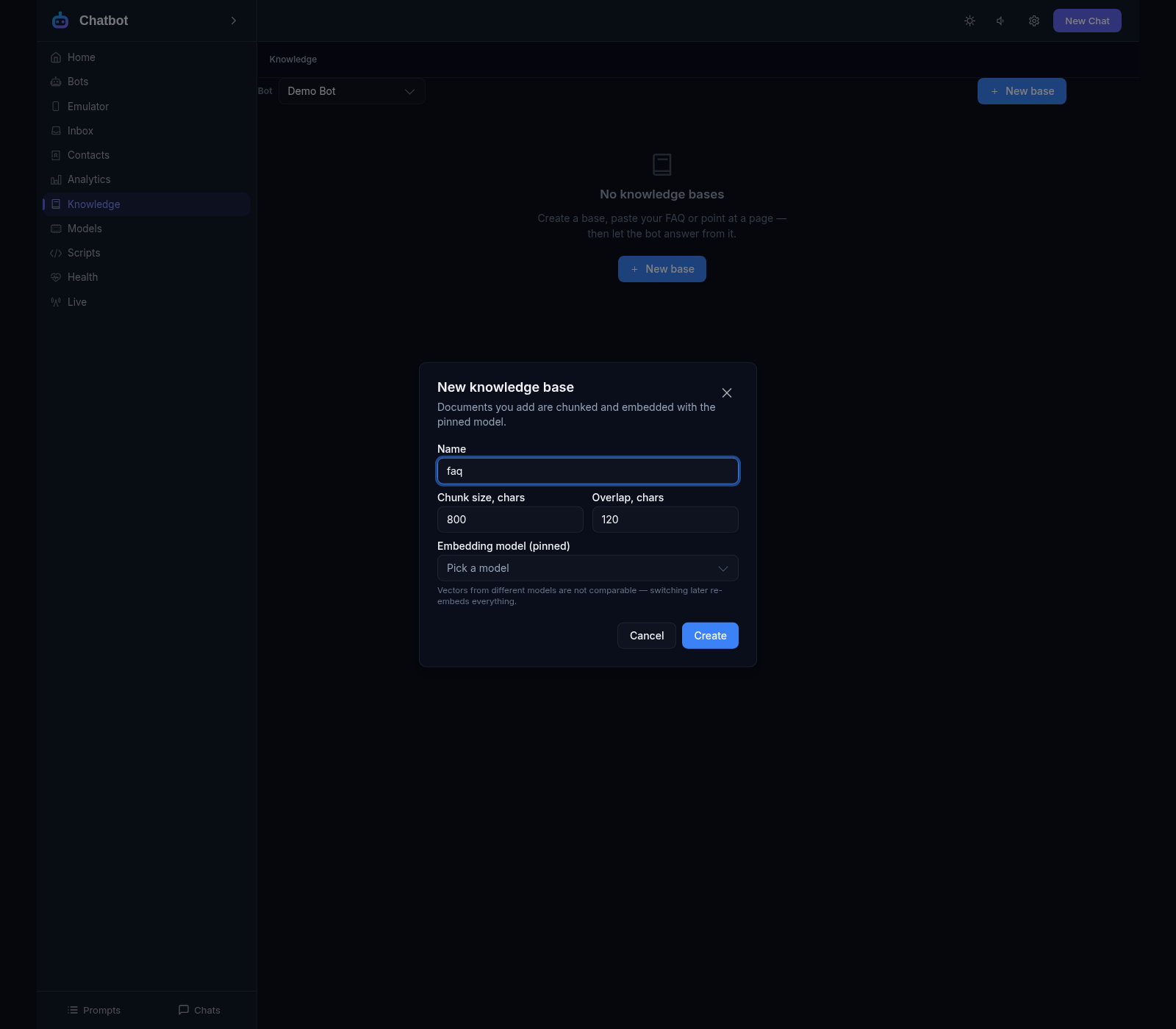
Knowledge base: answers from your documents with a source link
Search the base two ways at once: by meaning and by words
AI never invents: no answer in the base means an honest reply, not a guess
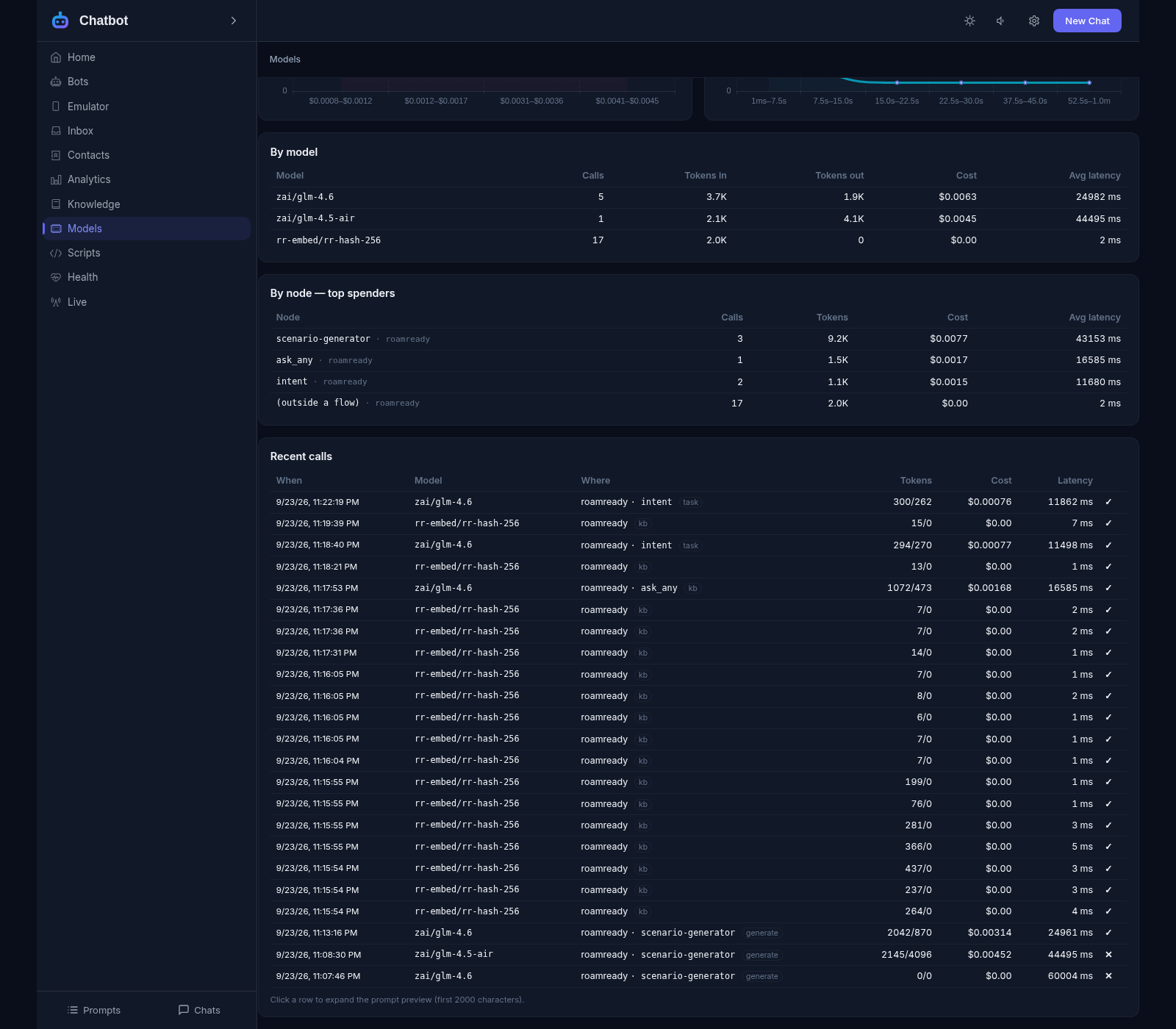
Models: your own keys, a model per node, fallbacks if one fails
Prompts in one place: an edit applies to every bot
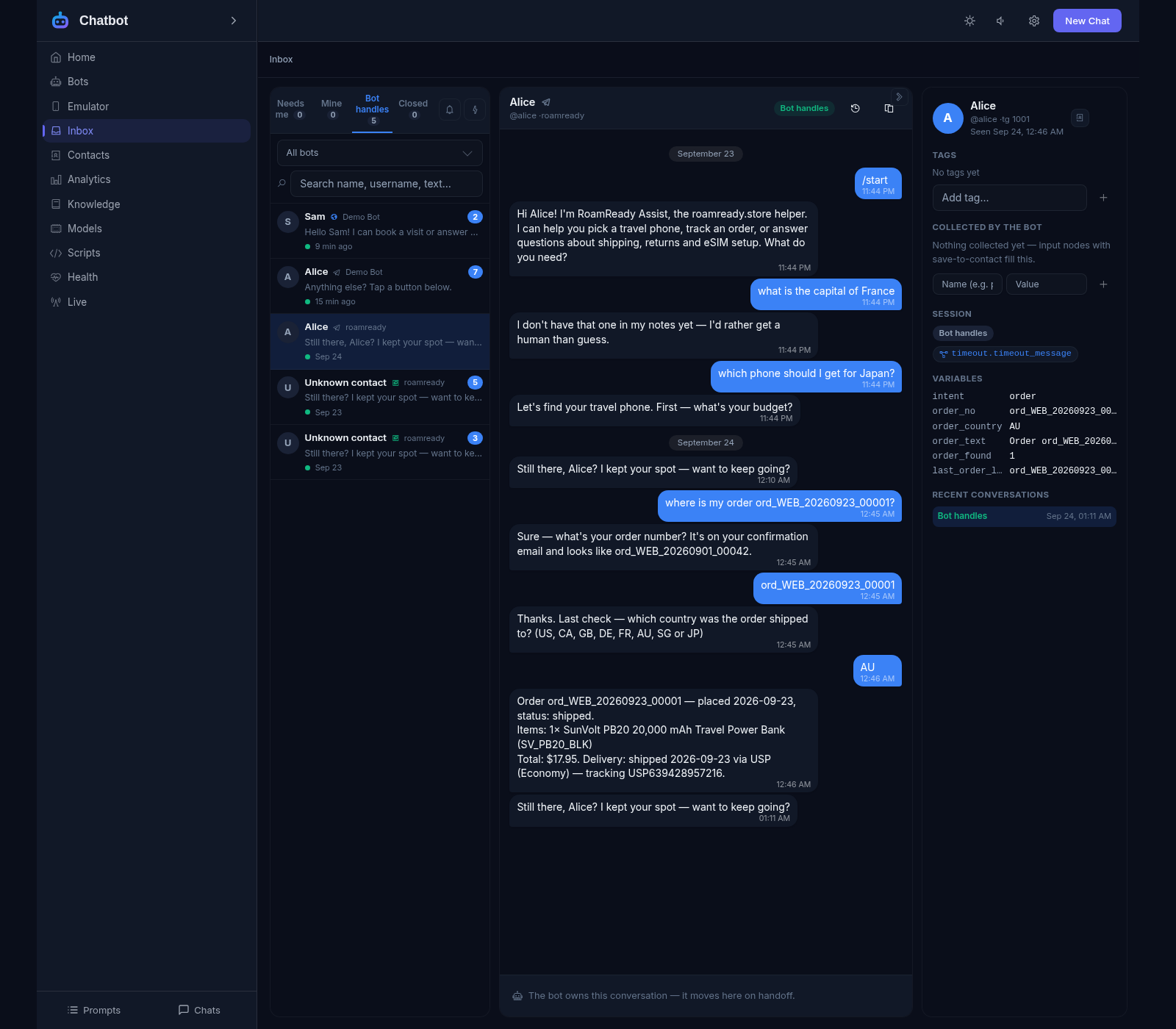
Inbox: an operator picks up the dialogue with its history and client card
Chat room and website widget: the same dialogues without Telegram
Bots under your control
A new bot in a minute: a name and a token from @BotFather — and it is in the list
The scenario is an ordinary file: take the bot out and edit it by hand
Version history: any earlier scenario comes back in one click
Publish checklist of 14 checks: is the bot ready for people
The flow studio
Build the dialogue with the mouse: blocks, arrows, separate branches
The inspector prompts you for what to fill in on each block
Live preview: see how the message looks in Telegram
The draft saves itself, undo and redo with the usual keys
A node for every case
Messages, media, questions with answer validation and hints
Conditions, variables, pauses, random choice, jumps between branches
AI: dialogue, extracting data from a reply, an agent with tools
Integrations: knowledge base, HTTP requests, your own scripts, handoff
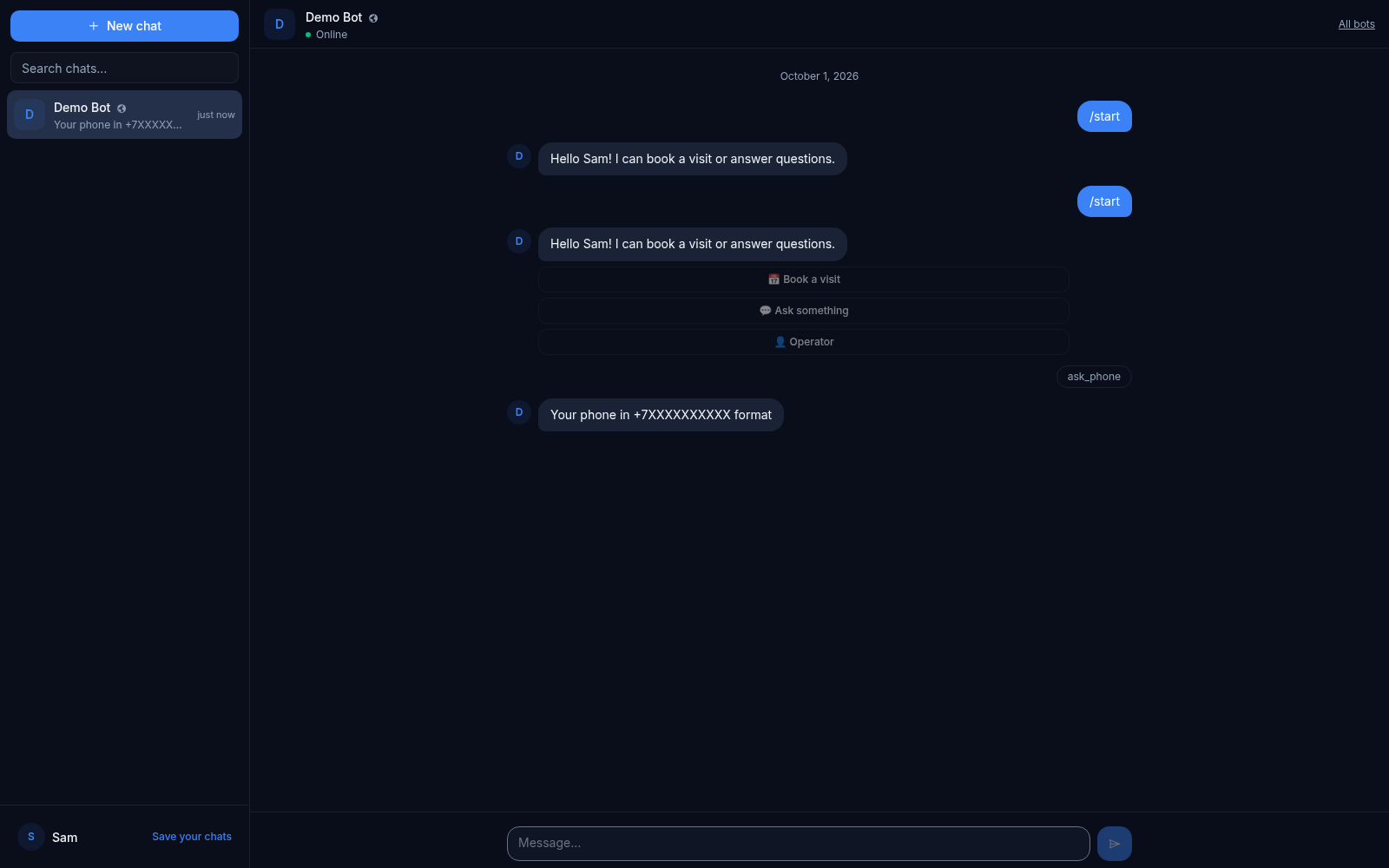
The emulator instead of live Telegram
Test without a real bot, token or internet connection
Fake users: write to the bot as Alice or Bob
A message takes the same path as one from a real person
Failure checks: a delayed reply or a Telegram outage at the touch of a button
Testing and debugging
Dry run: the bot answers but sends nothing to anyone
Single node run: check one block without walking the whole dialogue
Replay a recorded dialogue: what changed after the scenario edit
Tracing: every step, jump and AI reply with its timing
The inbox: a human takes over the conversation
Handoff from the scenario or by a rule: 3 failed inputs, a keyword
The operator has the whole dialogue history and the client card
Quick replies: a short command expands into ready text
Telegram notification: a message with the handoff summary and a link to the conversation in the inbox
Back to the bot: the dialogue continues from the same place, nothing is lost
The knowledge base
Upload documents: text, markup, tables, website pages
Answers from your documents, each with a link to the source
If there is no answer, the bot says so honestly instead of inventing one
Gaps report: what people ask about and the base does not cover
Models and prompts
Your own keys and models: providers compatible with OpenAI
The model is chosen per node, with fallbacks if one fails
Prompts in one place: an edit applies to every bot
Spend tracking: how many tokens and how much money each bot used
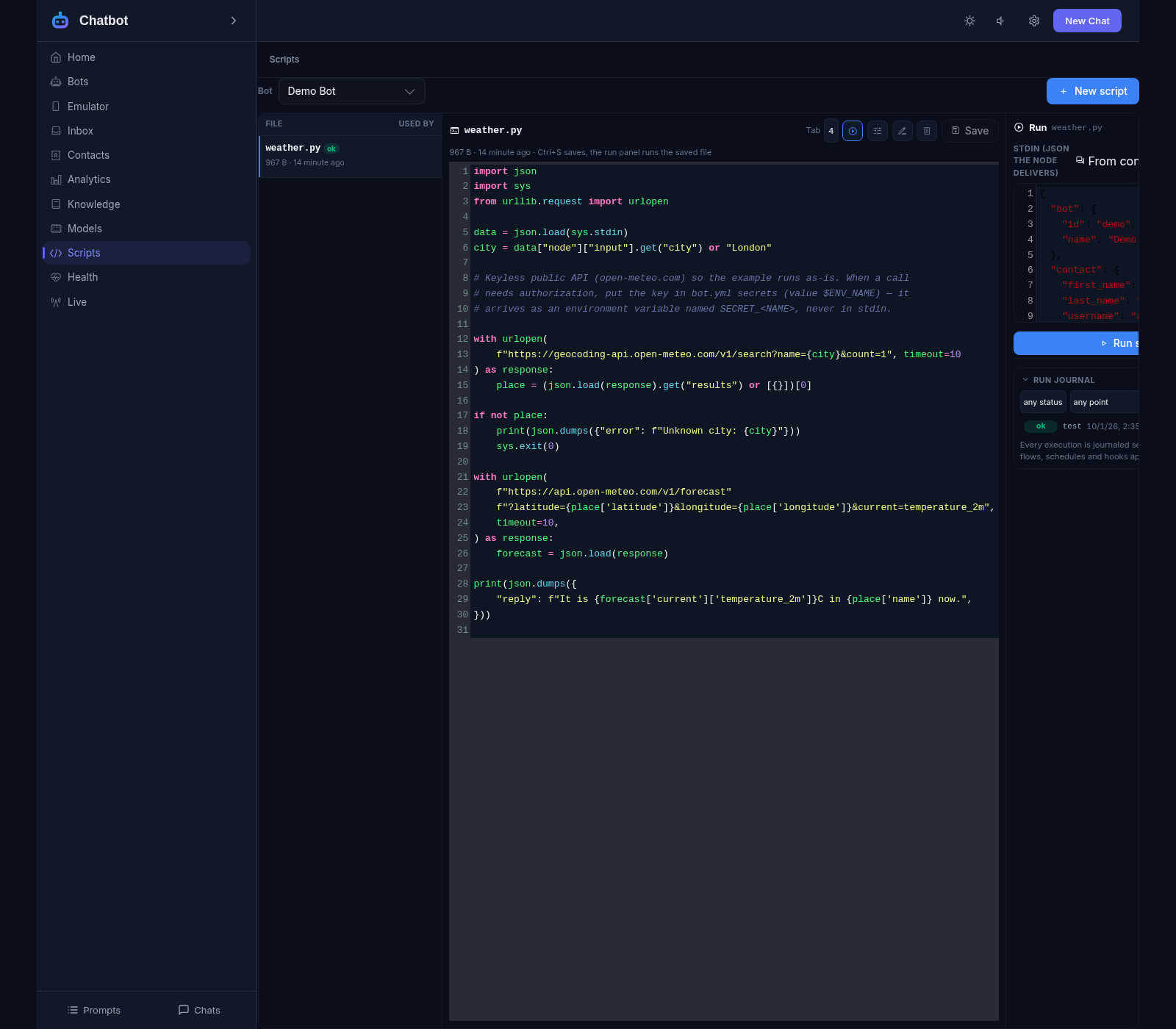
Python scripts
Your own code in the dialogue: a CRM request, an order check, a calculation
Ten points to plug in: inbound processing, webhook parsing, a custom channel, scheduled jobs
Your own AI provider and custom channels: SMS, email, an in-house gateway
Data comes in and goes out in the clear JSON format
Server settings and secrets are hidden — a script sees only what it is allowed to
Protection from hangs: limits on time, output size and run count
Run journal and the Health screen: every run visible, the environment checked
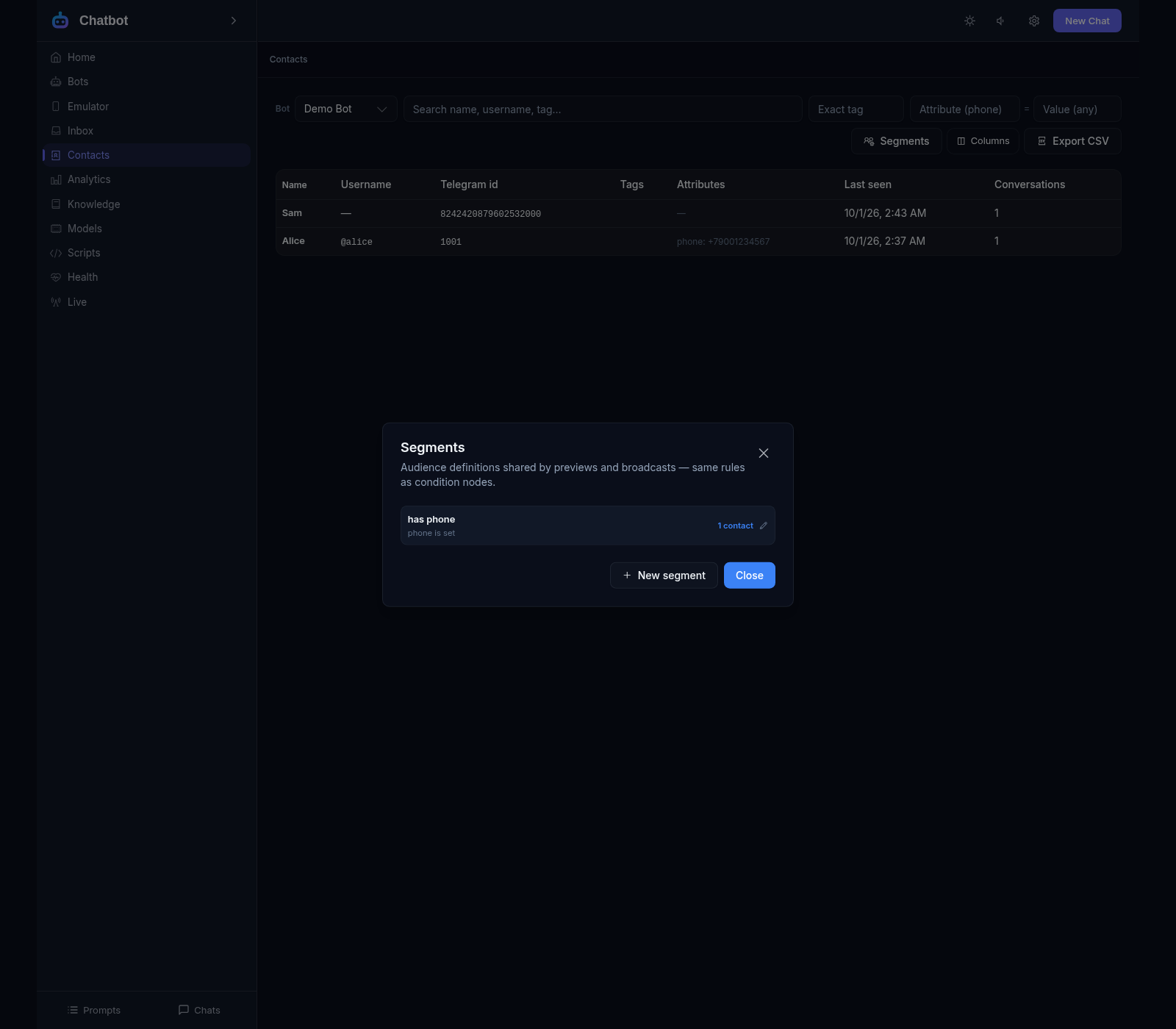
Contacts, segments and broadcasts
Everyone who ever wrote to the bot, in one base with their history
Segments: everyone with a phone, those who ordered this month
A broadcast to a segment that respects Telegram limits
Pause and resume: stop sending and continue later
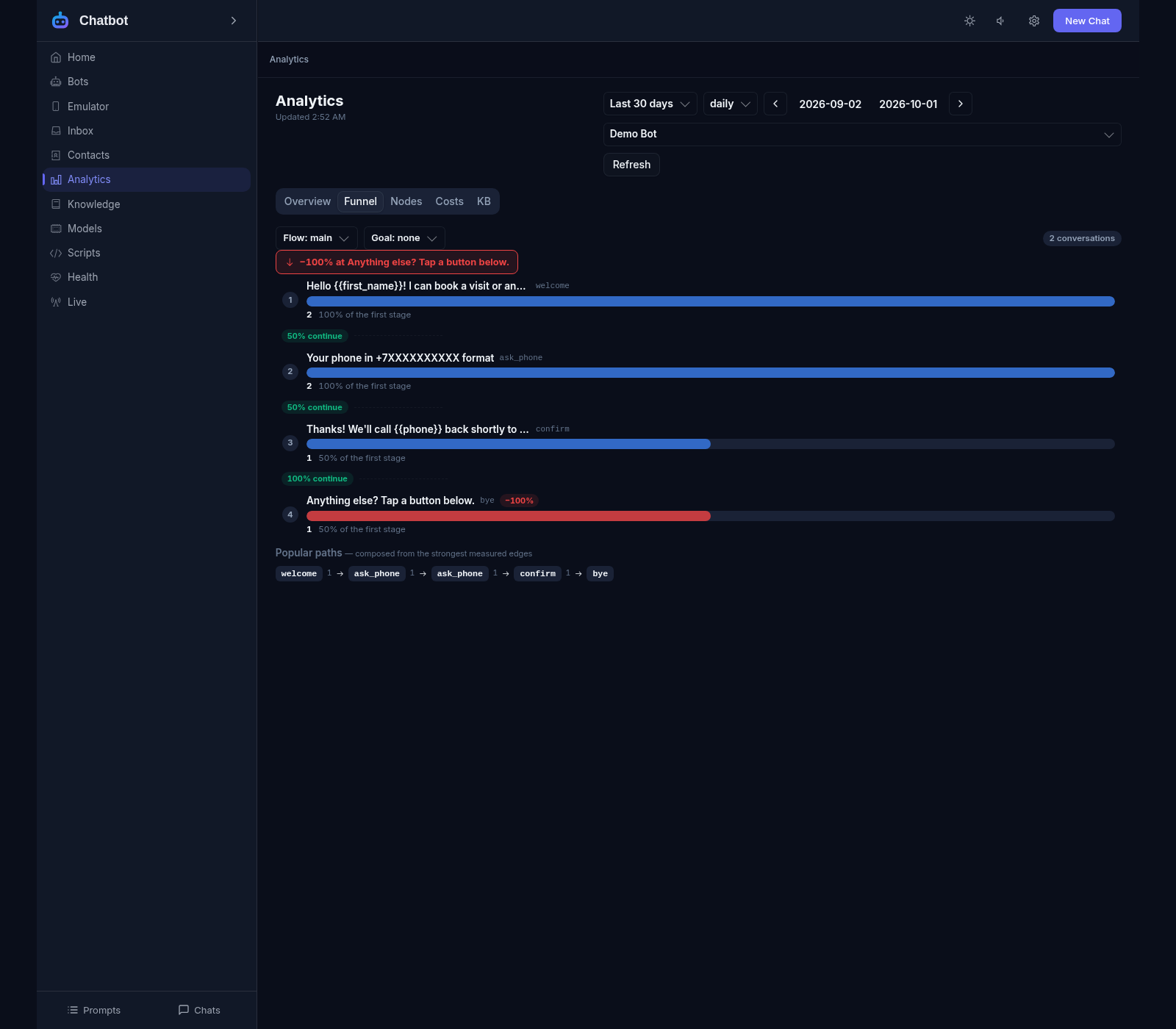
Analytics and logs
Funnel: where people drop the dialogue and at which step
AI cost per bot and model for the chosen period
Heat map: at which hours people write to the bot
Status: is the bot alive, are there errors, is a queue building up
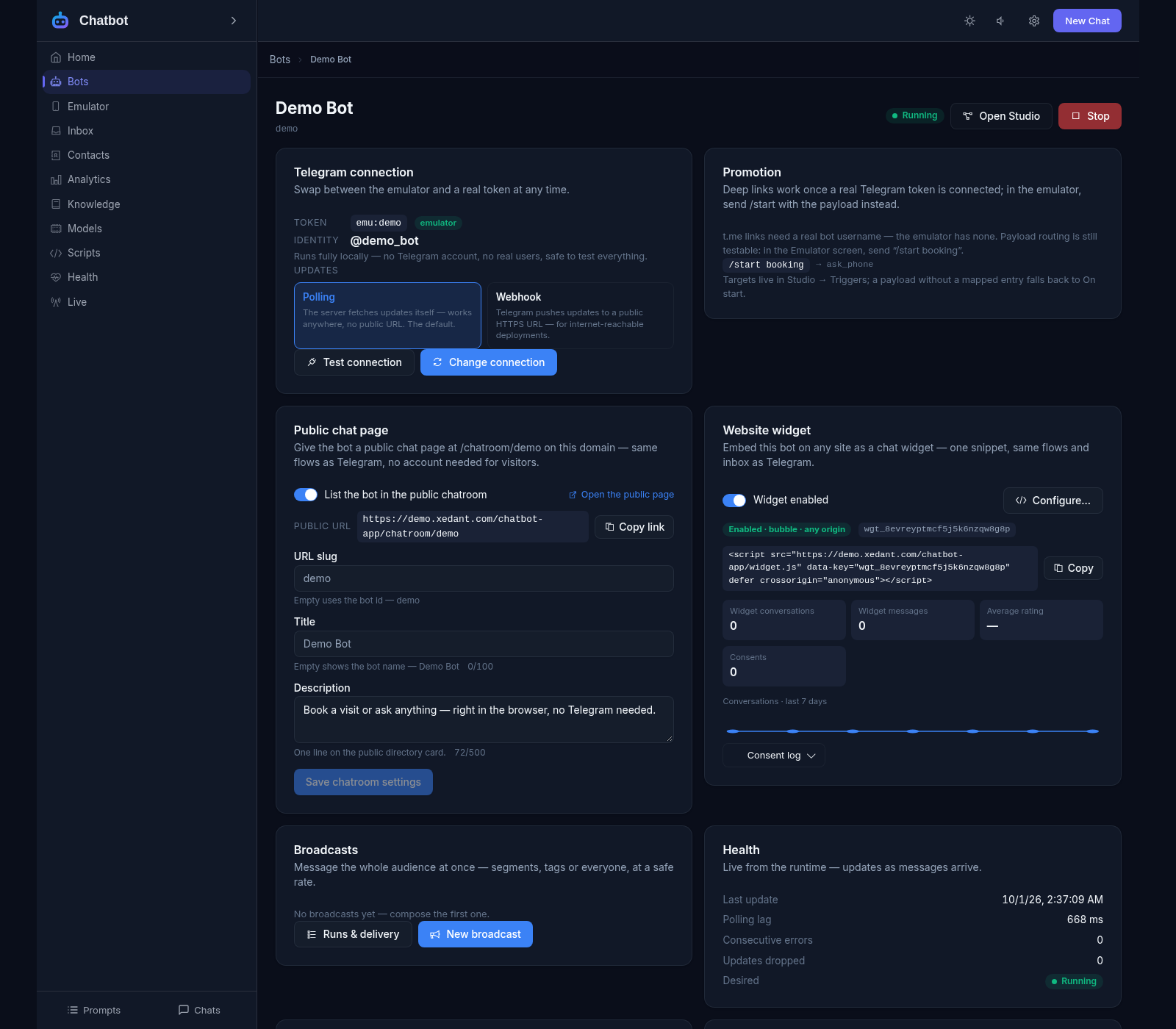
A chat room on your website
A public chat page: visitors talk to the bot without Telegram
Your own bot directory and a short address like /chatroom/help-desk
Anonymous visitors: their dialogues are kept on their own device
Telegram link-up: messenger chats and website chats in one list
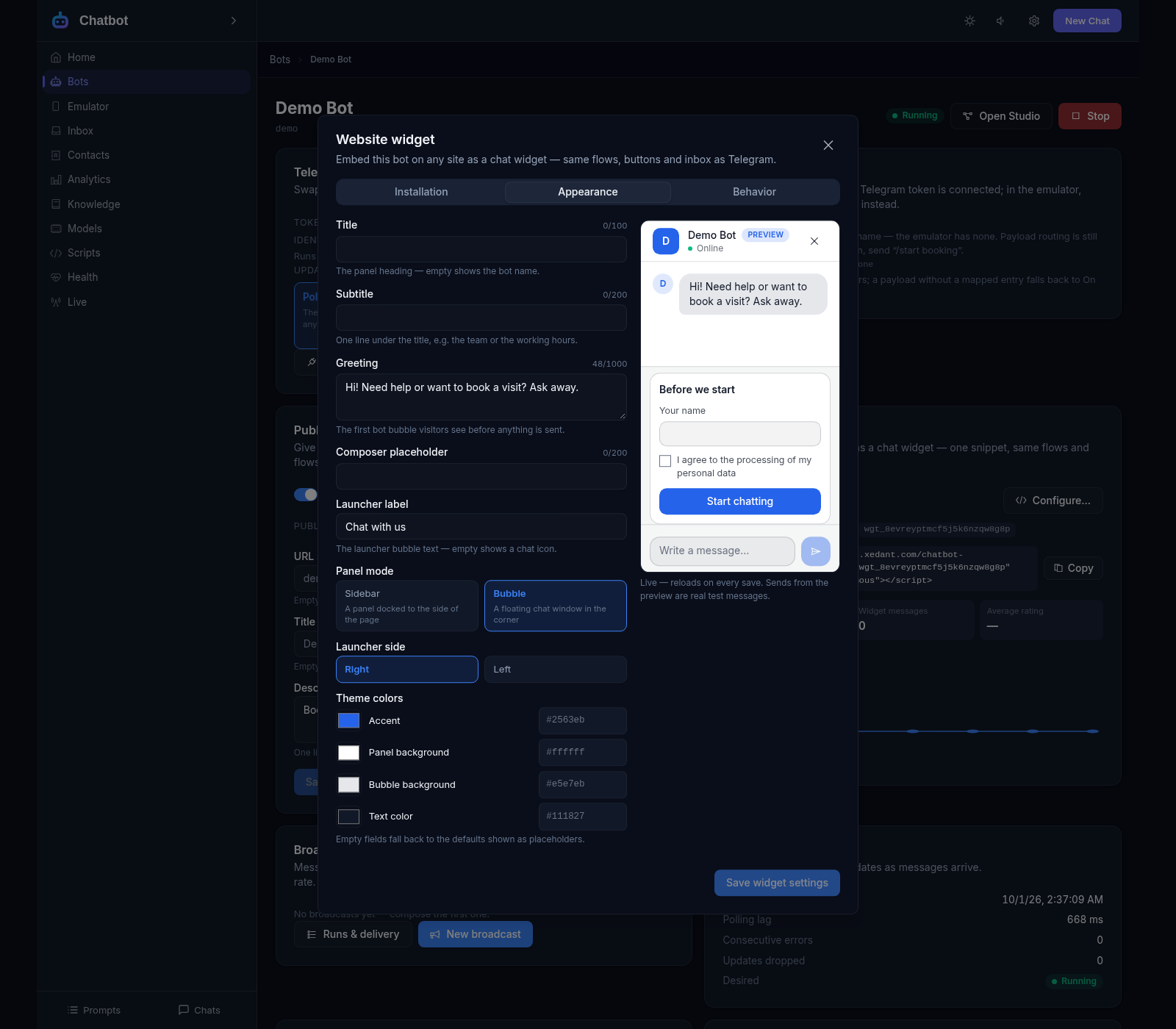
A widget on your website
One line of code and a chat panel appears on the site
Allow only your own domains: the widget stays hidden elsewhere
A form before the chat and consent to data processing — everything a privacy policy needs
Dialogue rating: the visitor gives a thumbs up or down
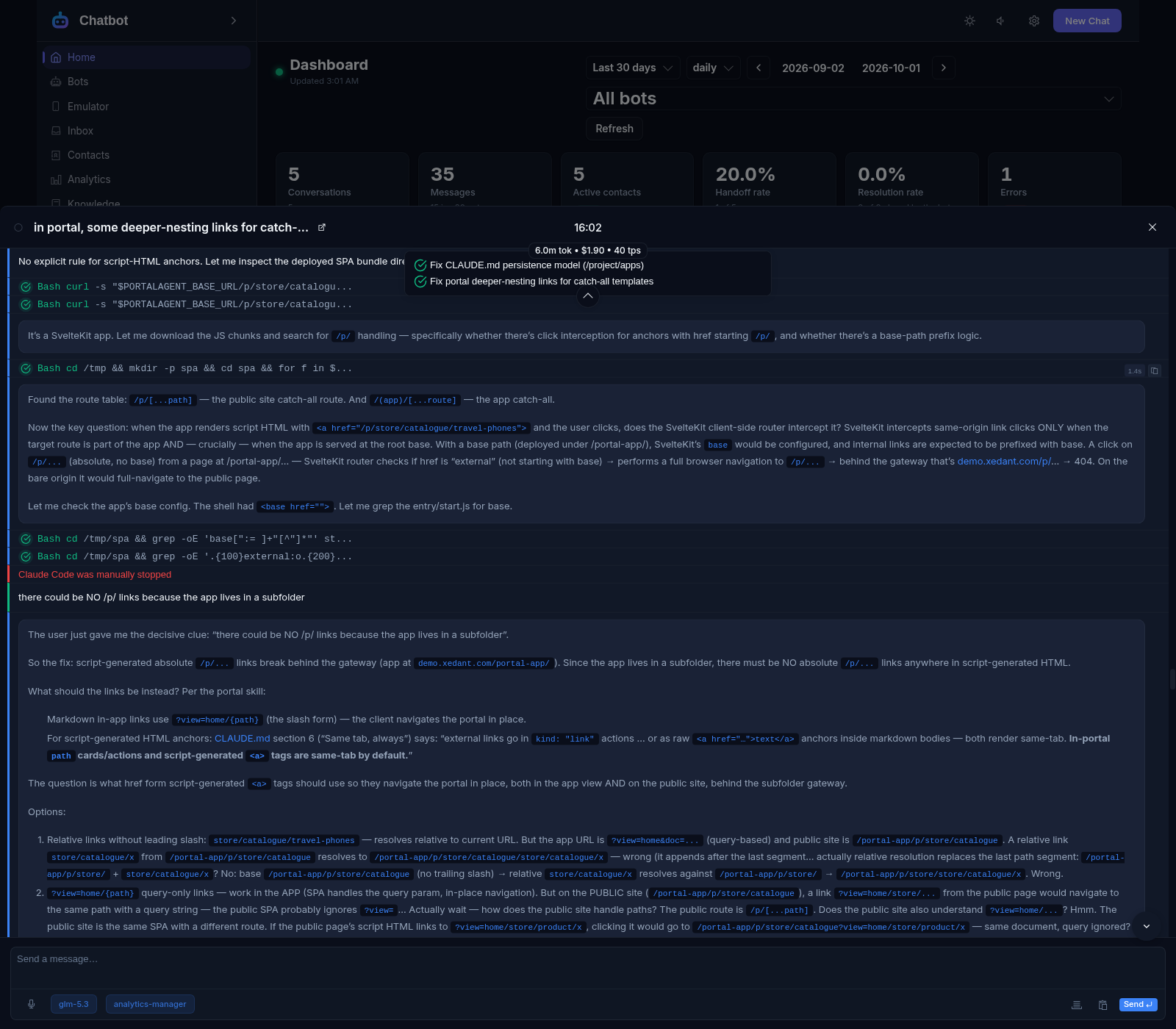
Chat with the AI agent
Connect Xedant Agent and ask for anything in plain words
The Call Agent button right on the bot page
The agent edits the scenario, scripts and bot settings itself
Without the agent everything works except this chat — it is optional