The add-on Calendar gives the whole company one shared calendar: meetings, calls and tasks with a reminder for every participant, recurring meetings, and the important dates you must never miss — birthdays, anniversaries and renewals. A customer can pick a free slot themselves through a booking link, and the meeting lands right beside their card, so you see not only when it happens, but with whom and about what.
Why you need it
Appointments usually live in places that do not talk to each other: one colleague’s personal calendar, another’s notebook, a third person’s chat. Nobody sees the real picture, two meetings end up booked for the same hour, a customer waits for an answer that no longer comes, and a work anniversary is remembered only after it has already passed.
A shared calendar fixes this with plain things: every meeting has an owner and participants, everyone gets a reminder, and the customer books themselves through a link instead of a long thread about when it suits whom. And because the meeting is anchored to the customer and their working record, it is never just an empty time slot in a grid.
What it does
- A meeting with an owner, participants and a record. Each event carries an owner, the colleagues invited to it, the customer and an anchor to a working record — a deal, a ticket or a project. The time is stored with the event’s own time zone (the zone it was spoken in, never a raw offset that lies twice a year), and all-day events are supported.
- Recurring meetings. The common recurrence rules are supported — daily, weekdays, every second week, monthly — and the schedule is expanded only when it is needed. One series is one row, and a member that changes becomes its own exception row: editing one occurrence never quietly rewrites the rest.
- Statuses and an appointment ladder bound to the event. A meeting moves through planned, happened, no-show and cancelled as explicit steps, so the history shows who moved it and when. A service booking follows the same event: requested, confirmed, in progress, completed, cancelled or no-show — the host marks the meeting and the appointment follows, so booking and meeting hold one truth, never two.
- Reminders for every participant. Reminders seated on an event are delivered through the notifications port, and a once-key journal guarantees that each person’s each occurrence’s each reminder fires exactly once. Running the reminder sweep again adds nothing.
- A meeting link that never double-mints. Link templates for your own video service — meet, jitsi or a custom shape with one place-filler — produce a ready address on demand. The mint is idempotent per event: a second call answers the standing link and only the explicit rotate command replaces it. The product does not host the video call; it hands out the link.
- Busy time from other calendars. A colleague adds a sync seat for Google, CalDAV or Exchange — with no credentials stored — and imports a calendar file. The busy hours appear on the grid as provenance-marked, read-only blocks, never mixed in among the company’s own meetings, and posting the same file again changes nothing.
- Your calendar out. A per-user subscription link (a revocable token) serves the calendar to an outside client and can be rotated or revoked. Times are served as exact moments and all-day events as dates in the event’s own zone.
- Customers book themselves. A public booking page carries your meeting types, working hours and rules. A chosen slot is held for the customer for fifteen minutes while they confirm, and for as long as the hold stands the grid shows it taken everywhere.
- Confirmation is all or nothing. If any step of the confirm refuses — the contact has vanished, the host’s calendar has moved over the slot, the day’s cap has filled while the hold stood — the whole transaction rolls back: no booking, no event, no link, only the hold the sweep will reap. A redelivered confirm answers the standing booking and writes nothing, and two bookings for one slot cannot exist by construction.
- The customer moves their own booking. With the token from their link (no account needed) they cancel or reschedule inside the notice pair you set. Past the notice, the page itself says the only way on is to contact the host.
- Services, rooms and equipment. Bookable services carry duration variants and a price as data — online payment is a named deferral — while each resource (a room, a person, a piece of equipment) has its own windows and its own capacity. A slot that needs two resources is offered only when both are free, so “the room is taken” shows up when the time is chosen, not when you reach the meeting room door.
- Occasions that remind, never send. A rule sits on one date field of the card — a birthday or a work anniversary. An hourly scan births exactly one owner task per rule, record and year, and a leap-day occasion lands on February 28 in common years instead of skipping the year. An optional draft text arrives with the task as a suggestion only.
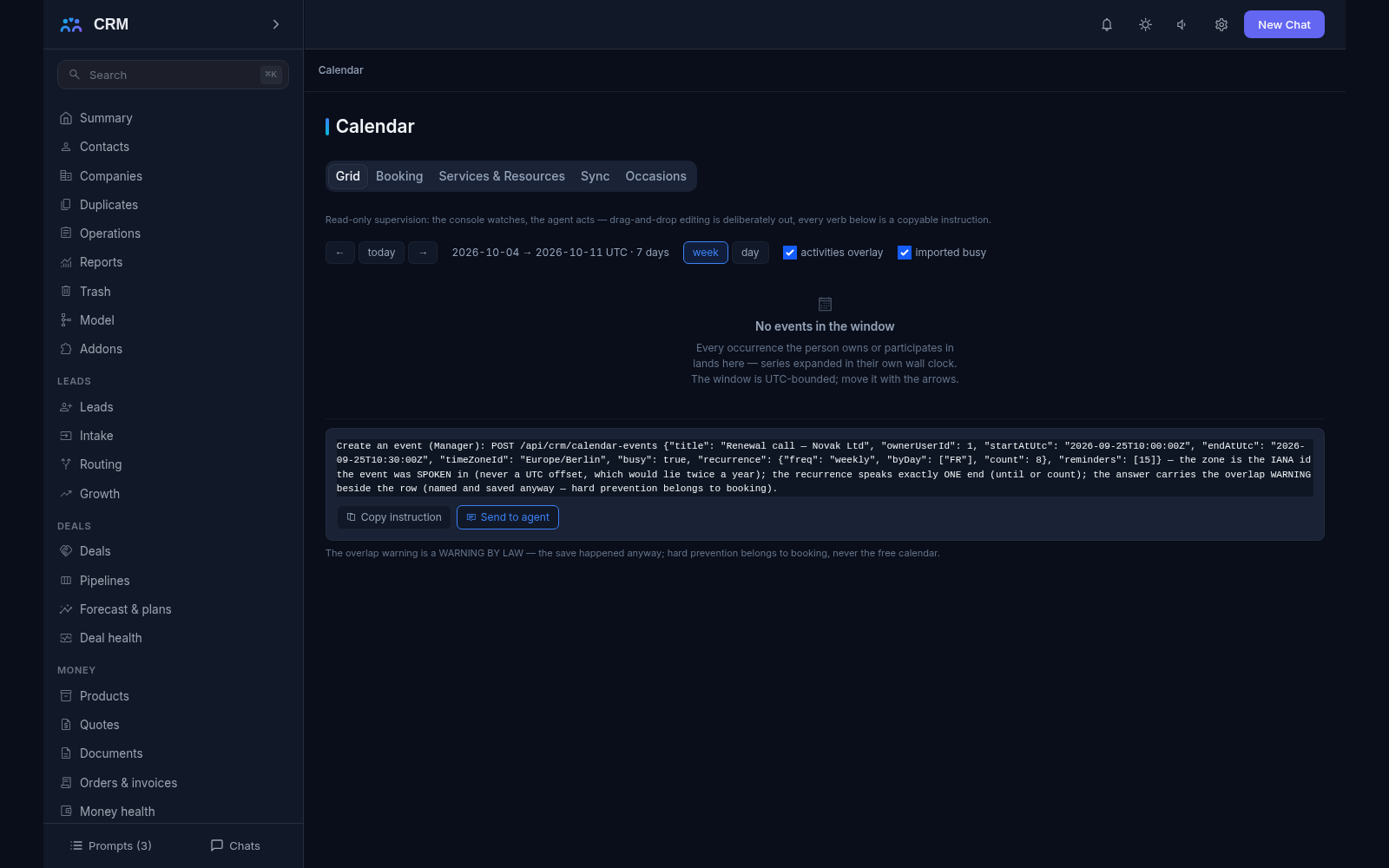
- One console. The Calendar section gathers the Grid, Booking, Services & Resources, Sync and Occasions tabs, and a customer or deal card carries a small events block. The section reads only: changes are made through agent commands you can copy from the interface.
How it relates to other add-ons
Calendar declares no required add-ons: it installs and runs on its own. The one thing it leans on is the notifications port for reminders — with Notifications installed the reminders reach people through the bell, and without it nothing breaks, they still journal and are simply not raised. Booking links carry a seat for a lead, so a booking can be tied straight to Leads and its source, and online payment stays a named deferral — taking money is the job of Money.
Honest limits
- External calendars are import only: there is no two-way sync, and that is a named decision rather than an unfinished corner. The Google Calendar API, CalDAV and Exchange clients are named deferrals, so what you change in another calendar does not arrive in the CRM — your own meetings can still go out as a subscription file.
- Imported busy time is read-only. It cannot be edited or deleted in the CRM; it moves on its own, with the next file from the external calendar, and no owned-event command can touch it.
- The product does not host video meetings and does not store recordings — it hands out a link to your own service.
- A booking carries no online payment: the service price is data shown to the customer, never a charge.
- Overlapping meetings are a warning, not a block. The free calendar lets you save a clash and says so, counting imported busy blocks beside owned ones. Only customer booking hard-prevents a double-book, and it does so by construction.
- Recurrence covers the common rules, not the full standard of recurring events.
- Occasions never send a greeting on their own: a task is born with a draft suggestion and the send stays the employee’s own compose — no outbound path may fire it. And a meeting link is not re-minted when its template is later edited or dies: an address already handed out stays as it is.
All add-ons → Add-ons catalogue