All your Telegram marketing in one window: your own channels, posts on a schedule, competitor monitoring and AI comments
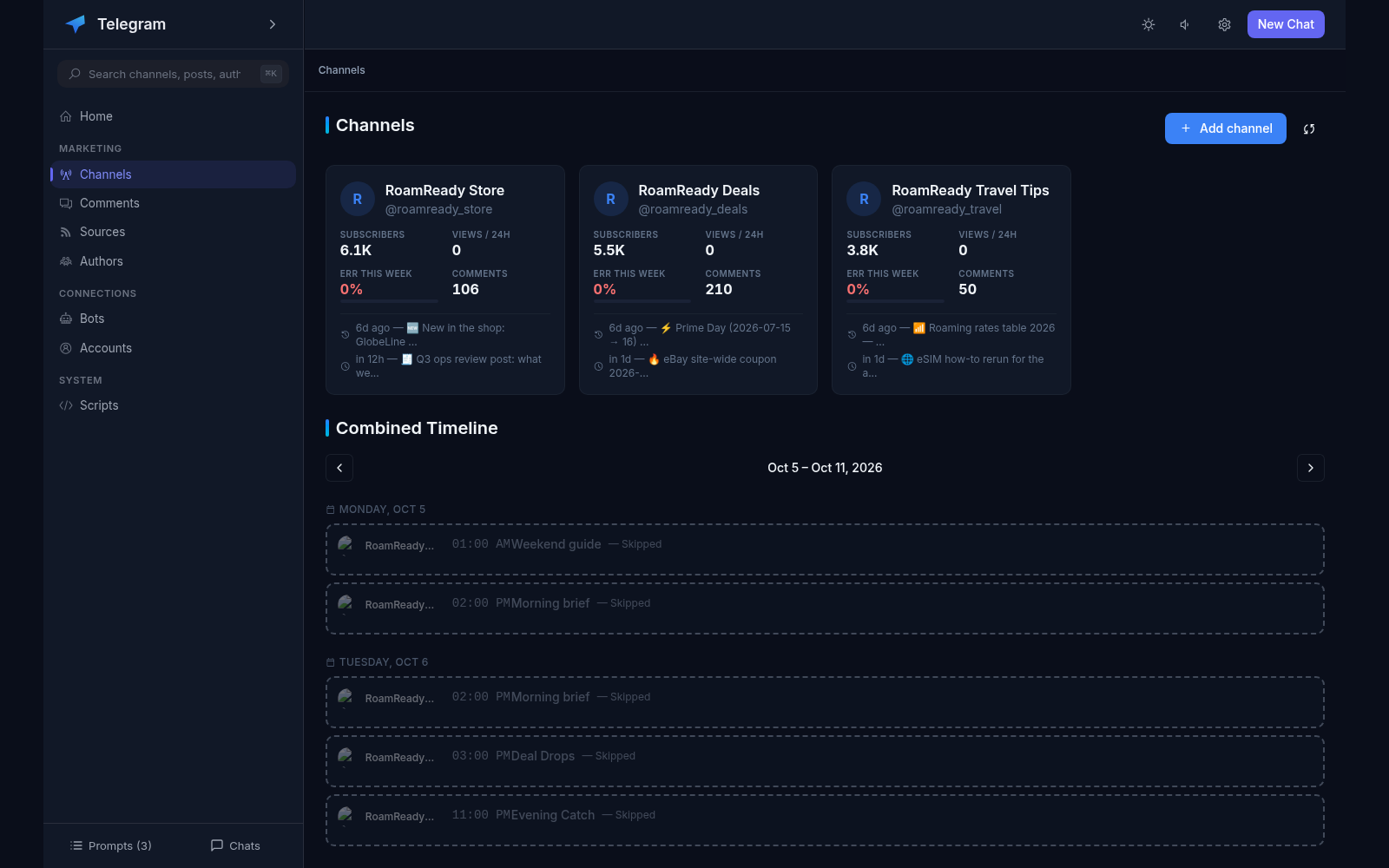
Telegram Agent gathers everything related to your Telegram marketing into one interface: your own channels publish themselves on a schedule, other people’s channels and chats are monitored in real time, and AI helps write comments and manage your tasks in plain language. No switching between a dozen services: connect a channel — and the interface itself tells you what to post, when to publish it, what competitors are saying and where to reply.
Connect channels via a bot or a personal account
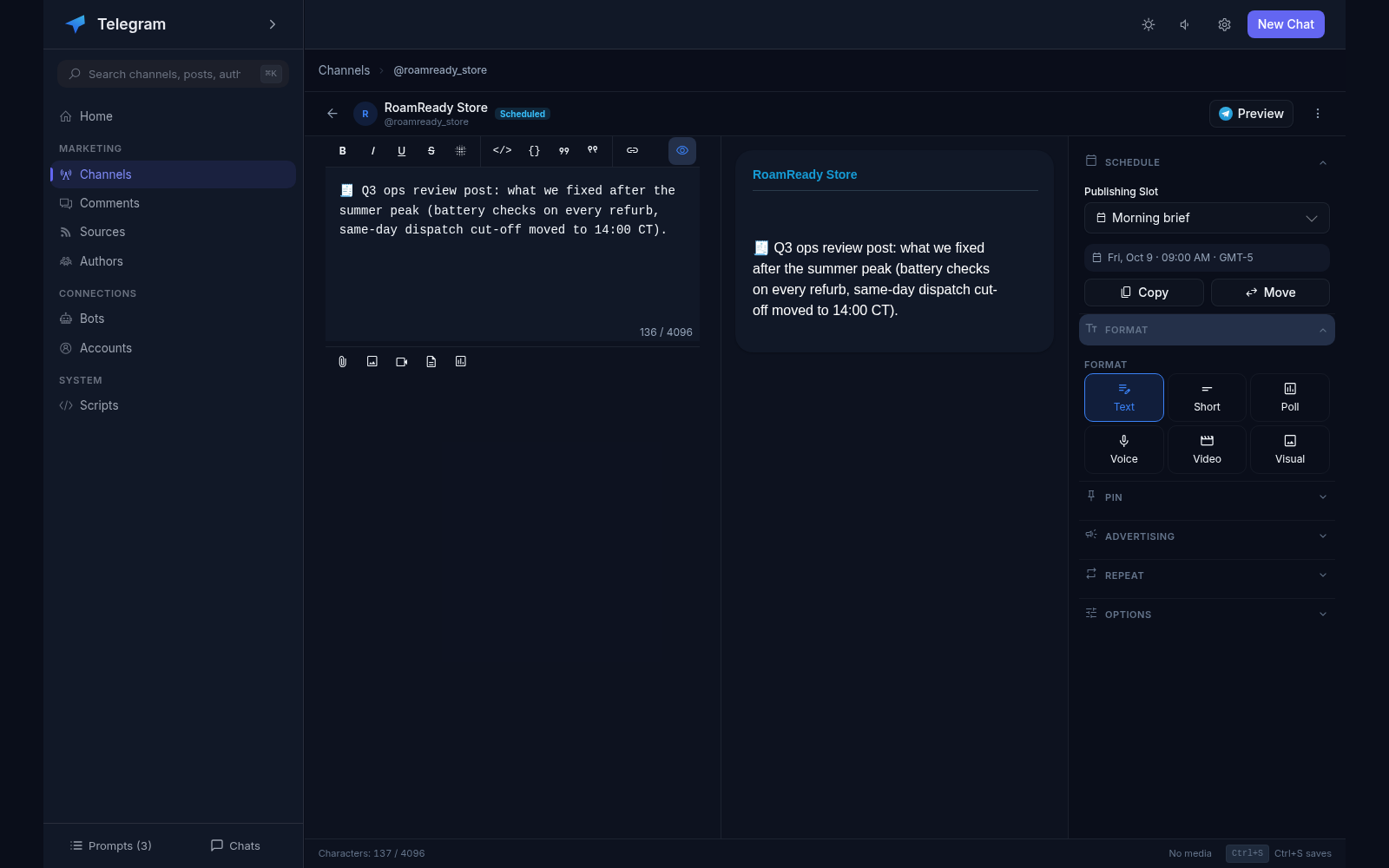
One-click publishing: text, media, albums, YouTube links
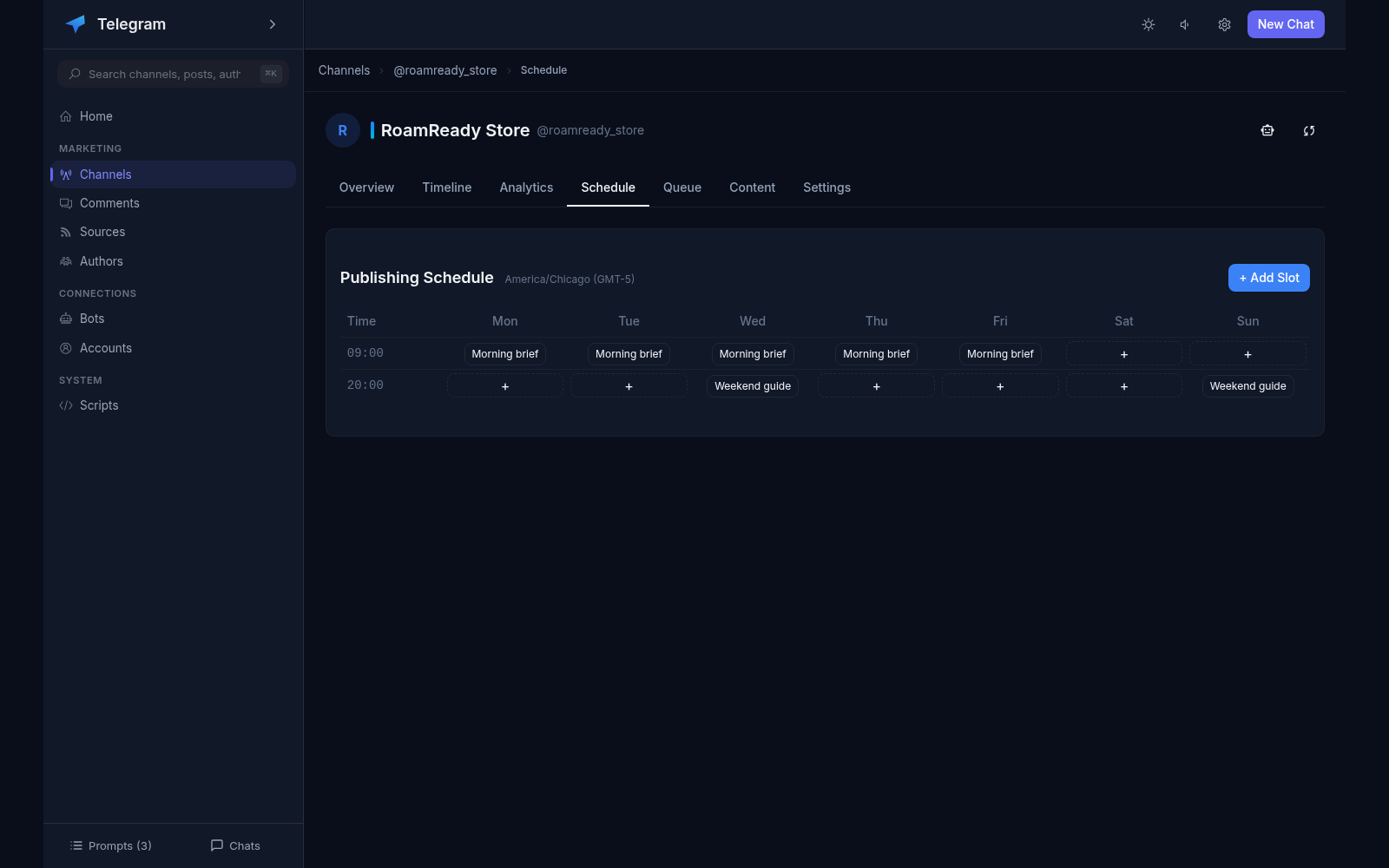
Weekly schedule: day and time slots for each channel
Auto-publishing: the queue goes out at the set time
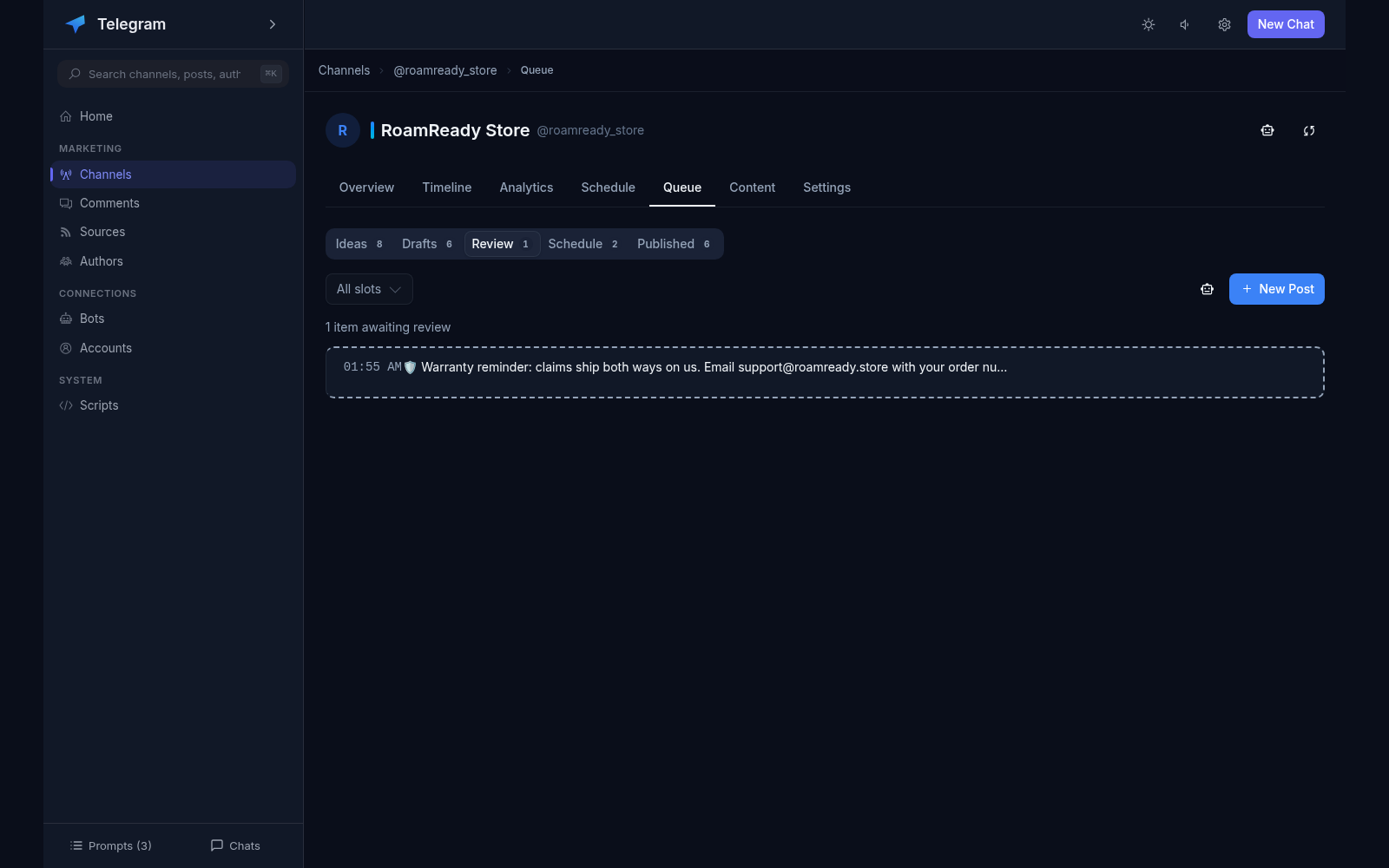
Content queue: idea → draft → review → schedule
Preview the post to yourself before publishing
Post history with stats: views and engagement
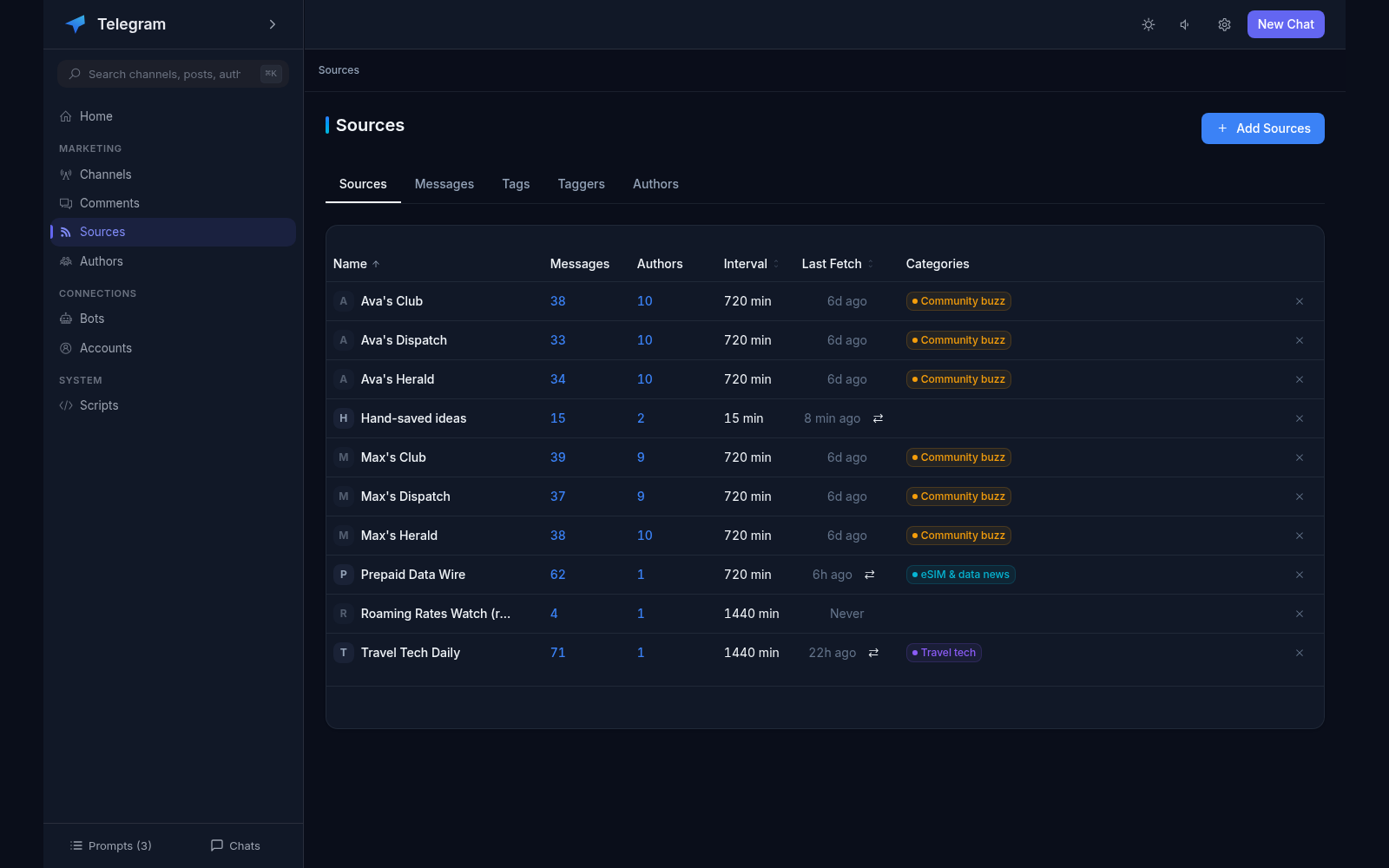
Sources: RSS, other channels, chats and comment threads
Watch competitors in real time
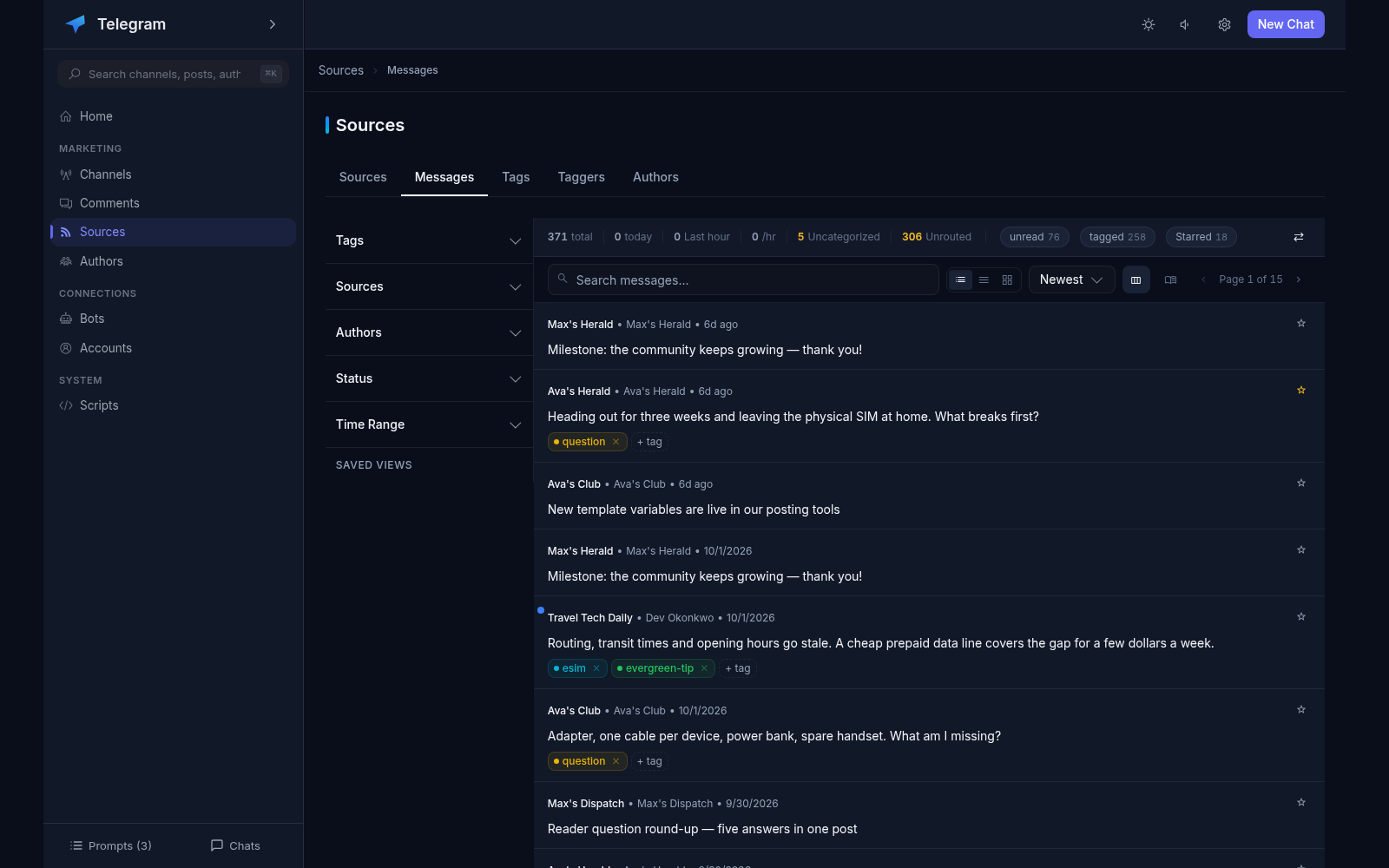
Message feed with filters, search and keyboard triage
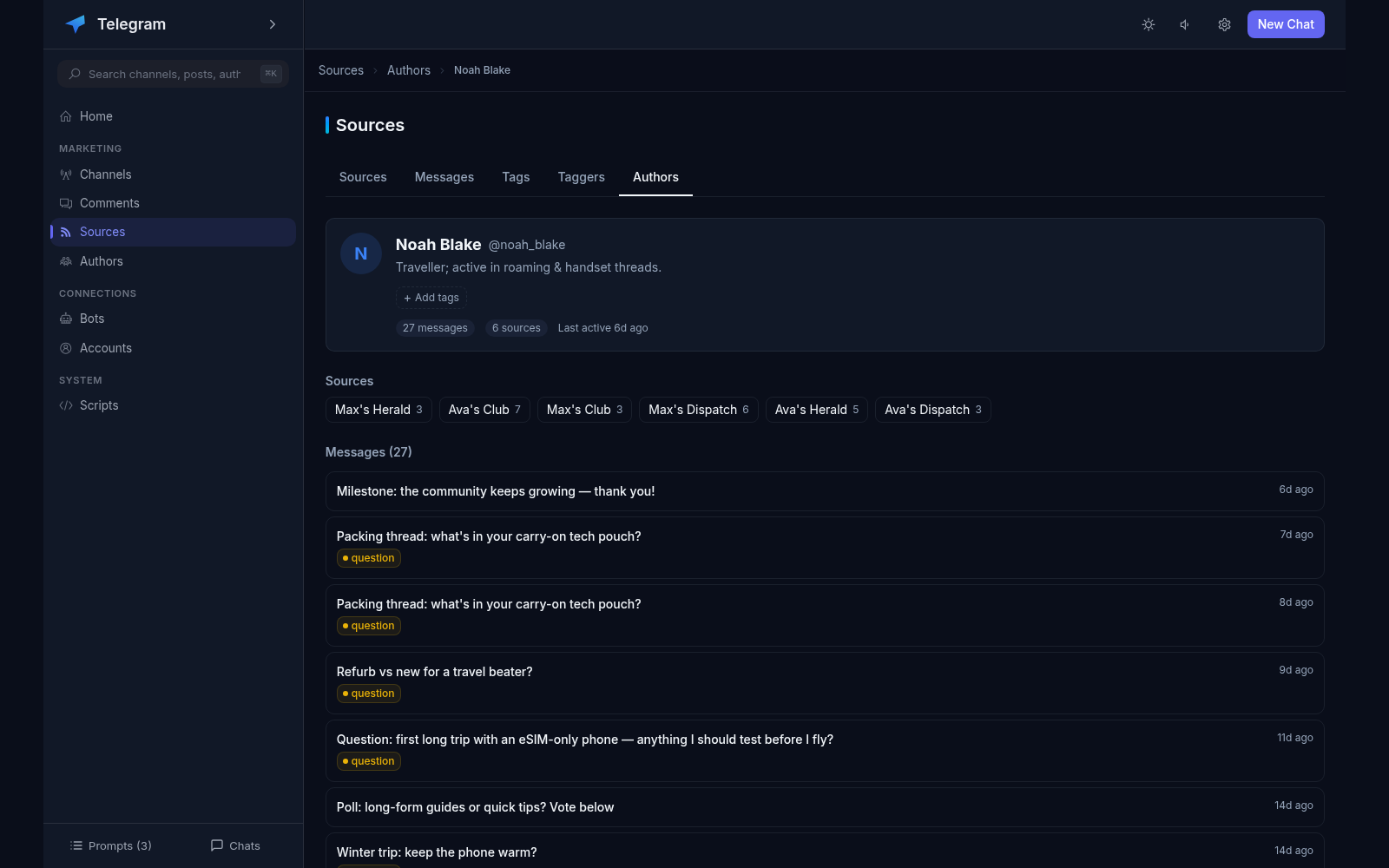
Authors: who writes in the sources, their tags and history
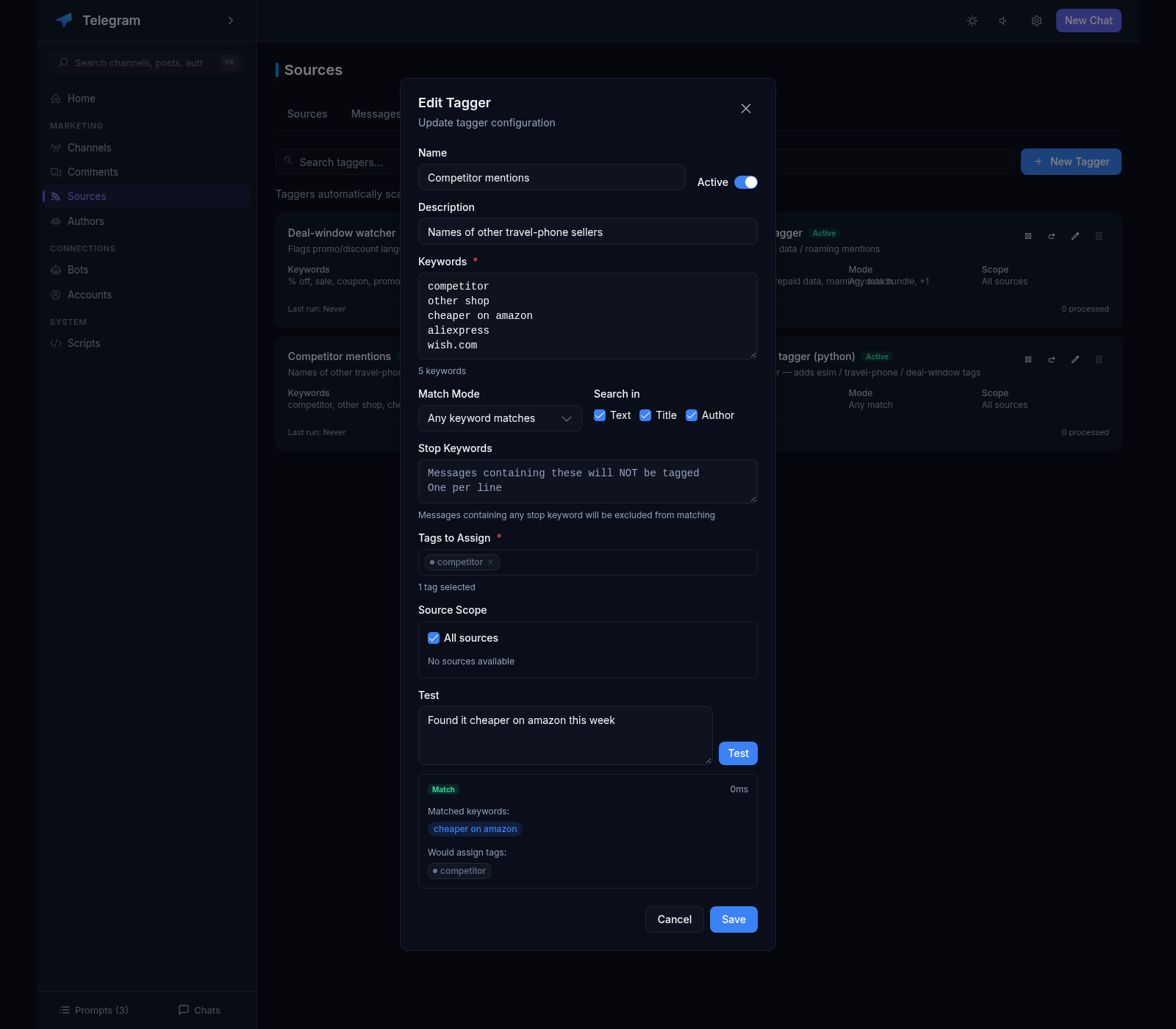
Tags and keyword taggers for triaging the incoming flow
Routing: categories direct content to your channels
Classification of messages: keywords, LLM or your own script
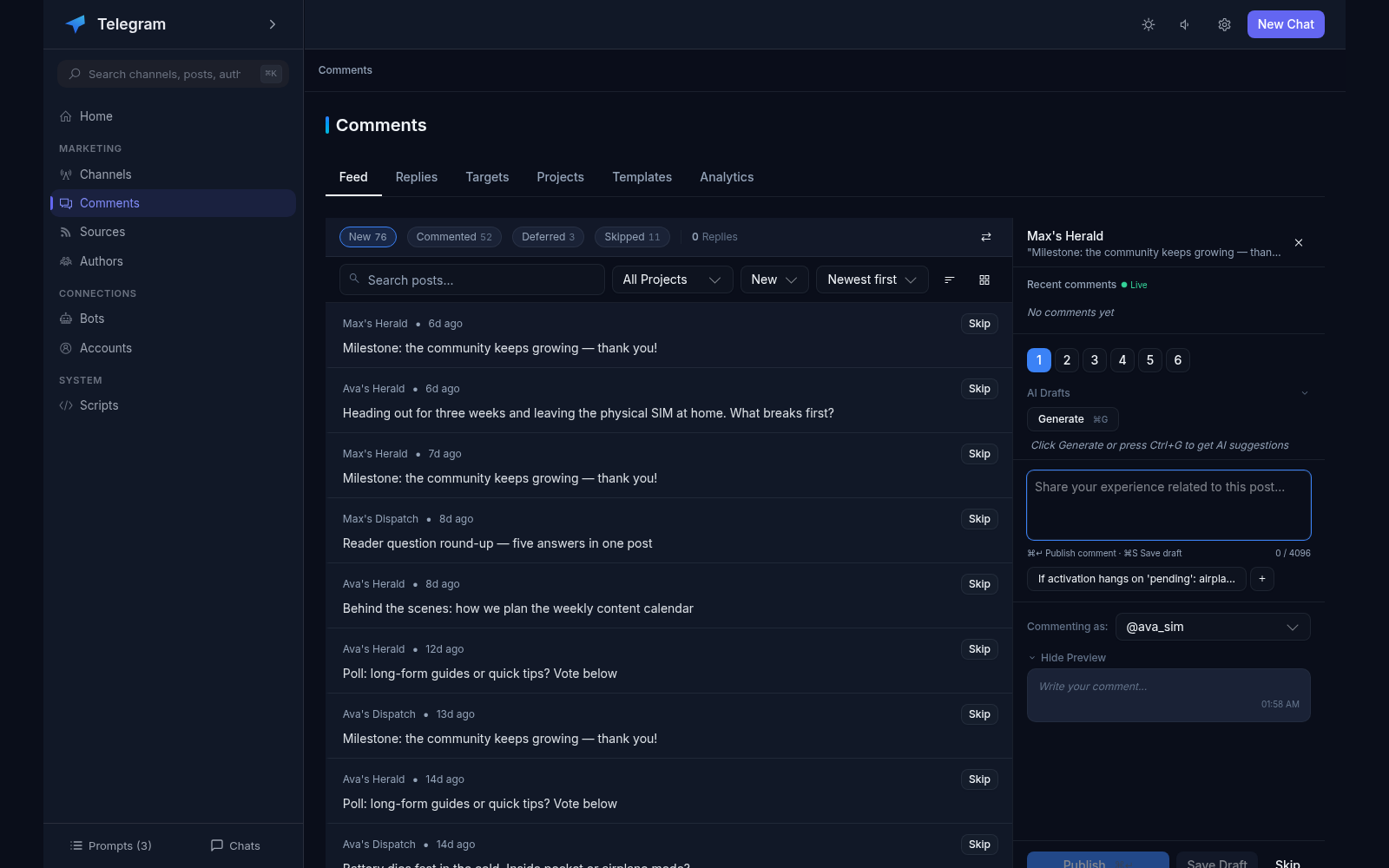
AI comments: drafts, templates, limits, discussions
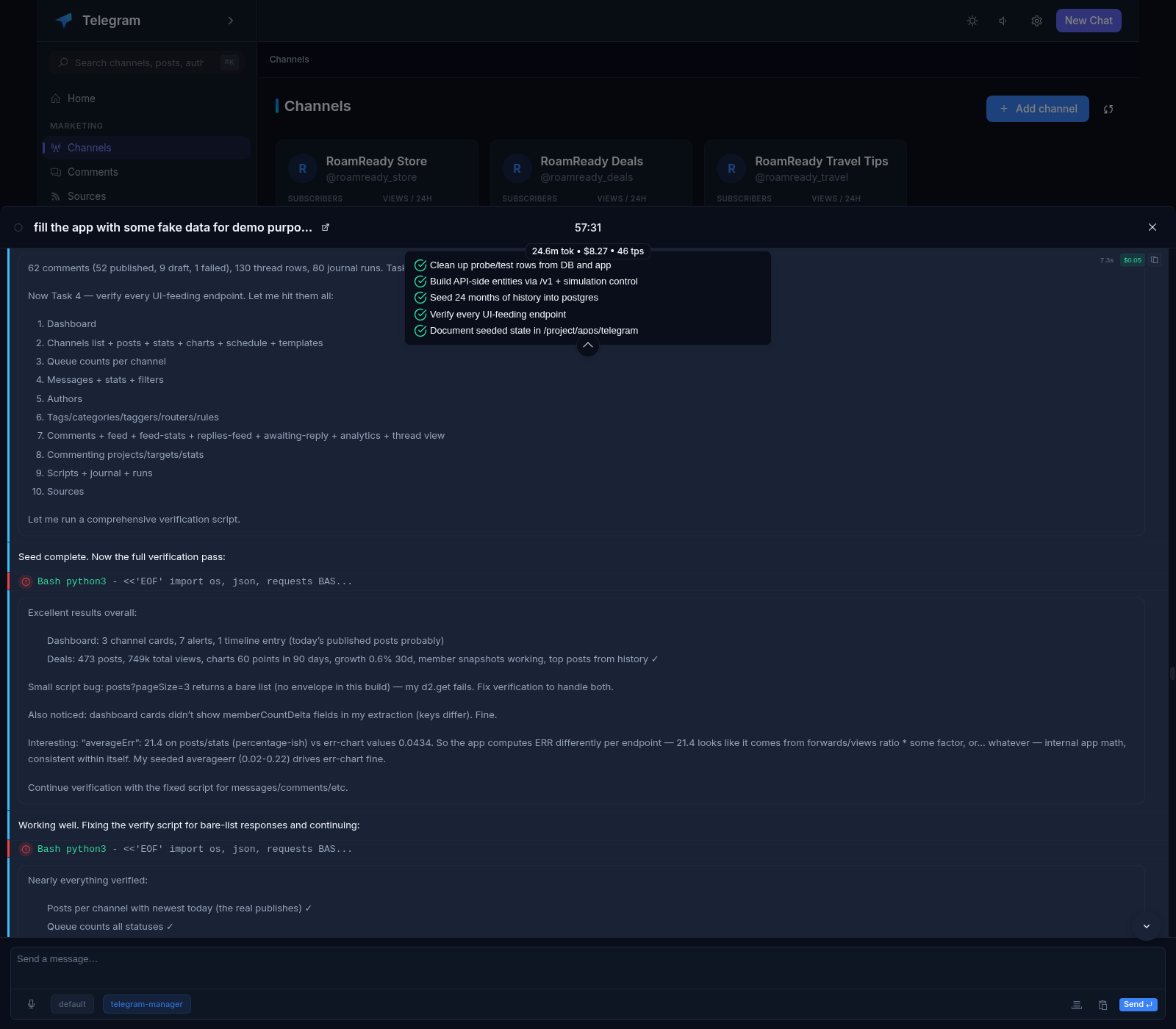
Call Agent button on the channel page and in the queue
Chat with Xedant Agent: chat labels, prompts, live stream
Voice input and pasted files right in the message box
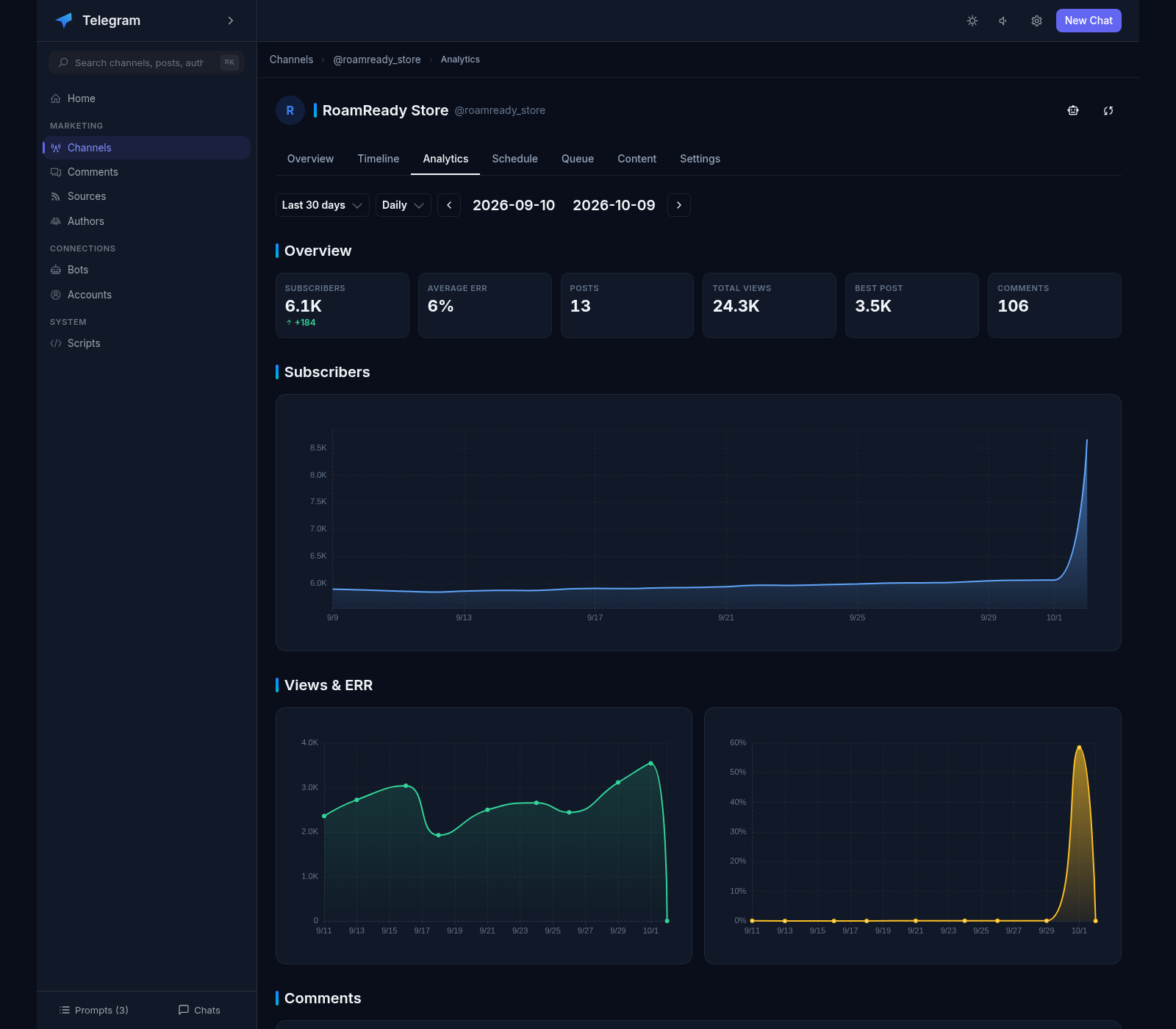
Channel analytics: subscribers, engagement, views
Home: a summary across all channels — subscribers and their daily change, views in 24 hours, weekly engagement and 30-day comments, plus the channels with nothing scheduled
Protection against mistakes: limits and checks when publishing
Everything on your own server: one Docker container, data in the /apps/telegram volume, settings as readable files in the /project/apps/telegram volume
Complete English interface localization
Installs as an app on a computer or phone: a shortcut from the browser, no app stores
Extends with your own Python scripts: your own classifier, source or text transform
Global search — channels, posts, authors and comments from one box in the sidebar
Idle-friendly: the server rests when nobody is working and releases memory by itself
Channels under your control
Connect via a bot: just the channel name and a token from @BotFather
Or via a personal account — channels where you own or admin them
Channel settings: time zone, auto-publishing, post pinning
Post templates: prefix, suffix and hashtags for a consistent style
Publishing without the routine
Full-screen editor with text formatting and live preview
Photos, videos and documents: drag and drop or paste into the post
Albums from several files with a caption for each one
YouTube links shown as a card with a preview, not just text
A schedule for the week ahead
Publishing slots: pick the days and time for each channel
A day-by-time grid shows the whole week at a glance
Publishing dates are calculated from the queue position in the slot
Auto-publishing: the post goes to the channel at the set hour
The content queue
A pipeline: idea → draft → review → schedule
Ideas from competitor messages — in one click
Drafts can be reordered — the order is kept
Approve on review: one click and the item is scheduled
Keeping an eye on competitors
RSS feeds, other channels, chats and comment threads as sources
Bulk adding from your account subscriptions
History is fetched automatically on a set interval
Source folders and color categories
The message feed
Everything collected in one feed: filters, tags, search
Three layouts: list, compact and cards
Fast triage from the keyboard: mark, hide, tag
New messages arrive in real time, no reload needed
Authors
Who writes in the channels you follow — one card per person
The same author in different sources is linked automatically
The author’s message history and the channels they write in
Author tags apply to all of their messages
Content routing
Keyword routers: “BTC” and “bitcoin” route to the “Crypto” category
AI classification: the LLM assigns a message to a category by itself
Rules: category → your channel + queue
Test panel: check a rule without changing any data
AI comments
AI comment drafts — three variants, pick the best one
Templates with channel and author name substitution
Protection limits: no more than the set number per day per account
Publishing in the post discussion and replies to comments
Commenting projects: target channels with priority, pause and a blacklist
Six comment types: Through Experience, Expert Addition, Add-on, Question to Author, Short & Meaningful, Custom
Channel analytics
Channel card: subscribers, views, weekly engagement
Weekly timeline: published and scheduled items side by side
Charts of subscribers, views, engagement and comments
Top of the most viewed posts for the period
The agent is nearby
Call Agent on the channel page, in the queue and in comments
The prompt already knows the context: channel, queue, messages
Chat at the bottom of the screen: messages, file edits, todo list
Skills and environments (models) — just like in Xedant Agent
Paste a file from the clipboard right into the message box
Chat list with a filter and labels: cost, messages and speed for each chat
Prompts — a queue of tasks for the agent, with an optional auto-send
Extending with your own scripts
The product is extended with your own Python scripts — no rebuilds or restarts
A script becomes a router, a tagger or a source — or edits text on its way to publication
Seven wiring points: classification, content collection, message ingest, queue, publishing, commenting
Scripts live as plain files in the config folder — carried with it and kept in version control
A Scripts section in the sidebar: environment state and the run journal