The add-on Privacy keeps customers’ personal data — phones, emails and domains — away from the employees who do not need it, and records who looked at what and when. It also holds the global blocklist: addresses and domains the product must never write to, whatever the channel.
Why you need it
A CRM holds all the contacts at once: customer phones, addresses and domains, plus their own employees’ details. Usually everyone with access sees everything. That is not always right — a contractor or a new intern has no reason to know every client’s personal data — and personal-data requirements ask you to show not only that you hid the data, but who looked at it and when.
The old choice was all or nothing: either a person sees everything or they are not let into the CRM at all. Privacy adds the middle option. A colleague works as usual — answers customers and runs deals — but a phone or an address shows as a mask instead of a value. If a value is really needed, it is revealed one row at a time, and every reveal leaves a journal entry.
What it does
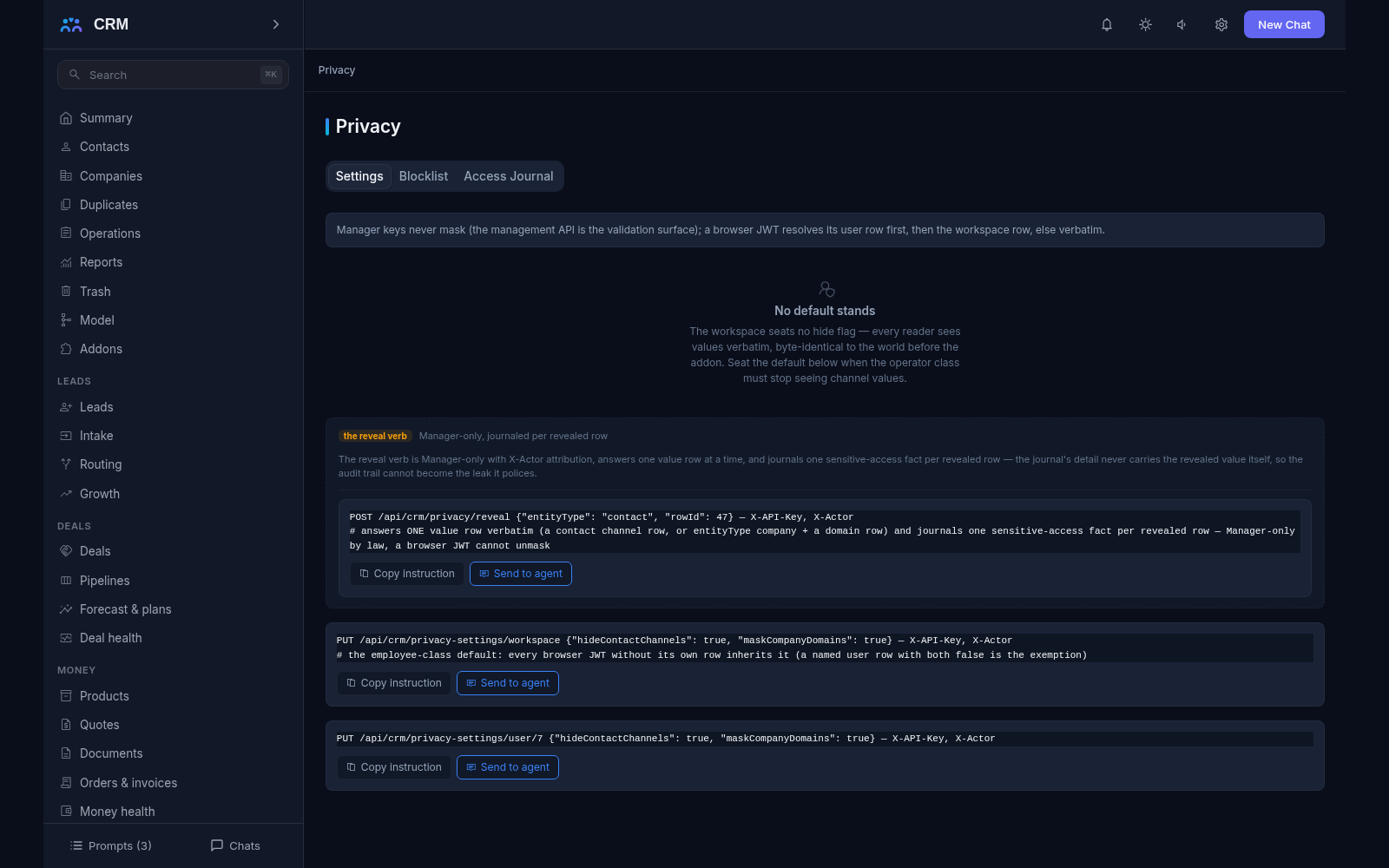
- A hide flag on a person or on the whole workspace. The flag can be seated on one employee, or as a workspace default that everyone inherits unless they carry an explicit exemption. The settings board shows which seat is whose, with the live names resolved beside each row.
- One mask on every surface. Masking happens at a single serialization seam, so screens, API reads, report rows and CSV export bytes all mask identically — “shown in the report but hidden on the card” cannot happen, because the guarantee is a construction and not a promise.
- The mask says what is hidden. Next to the value the product shows “channels masked”, “domains masked” or both, so a reader knows exactly what was withheld instead of guessing.
- Work does not break. Calls and messages still go through: a reply resolves the real address and a call dials the real number on the server side. Masking is about what is visible, not about what can be done — the operator answers the customer without memorising their phone number.
- Reveal one value at a time. Only a manager can reveal, one row at a time (a contact channel or a company domain), and every reveal journals one sensitive-access fact. There is deliberately no “show everything” button, so access is always piece-by-piece and explainable.
- The Access Journal. A dedicated tab answers who saw sensitive data: recorded call listens, masked-value reveals, private-note manager reads and carried-out exports. The journal is filtered by who, when and what, and its report is paged rather than dumped.
- The journal carries ids and words, never values. The sensitive data itself never rides the journal, so the audit trail cannot become the very leak it polices.
- A global blocklist. Address, domain and number rows each carry a mandatory reason, with the date and the actor who wrote them. Every sender asks it — mail, marketing, messaging and the site chat — and a refusal returns your own recorded reason verbatim instead of a bare error code.
- A blocklist row cannot be dodged by respelling. An email row holds one full address, a domain row refuses every address at that hostname, phone rows compare digit runs and messenger, social and site rows fold case — both sides are normalised through one key at ask time.
- One admin screen. The Privacy section gathers the Settings, Blocklist and Access Journal tabs and is available to administrators only. The section reads: changes to settings or to the blocklist are made through agent commands you can copy from the interface.
- The journal lives a year. Access-journal rows are kept for 365 days, then a daily sweep removes them — the journal deliberately outlives the recordings it describes.
How it relates to other add-ons
Privacy declares no required add-ons and installs by itself. Its blocklist is asked by every sender — Mail, Marketing, Messaging and the site chat widget — so a ban applies across all channels at once, not in one. The Access Journal in turn receives events from the contours that touch sensitive data, such as Telephony recordings. With the addon inactive every port no-ops and the workspace behaves exactly as it did before, byte for byte.
Honest limits
- Masking is about visibility, not a ban: an operator behind a mask can still write to the customer and call them. To close access to a customer completely, use roles and territory permissions rather than this flag.
- Reveal is manual and one value at a time; there is no bulk “show all”. Each reveal is journaled, so looking at data quietly is not possible.
- The journal speaks in ids and words; the values themselves never enter it. That is deliberate — the journal must not become the leak it polices.
- The journal is not forever: past 365 days its rows are removed by the daily sweep. A longer archive has to be exported separately.
- Until a flag is seated, every reader sees the values verbatim — exactly as before the addon. Protection never switches itself on and is never on by default.
- The blocklist is about outbound messages, not access: it does not stop a permitted reader from seeing a value. The two controls do different jobs.
- The section is administrator-only: an employee cannot change their own visibility. A manager seats the setting — on a named person or as the workspace default.
All add-ons → Add-ons catalogue