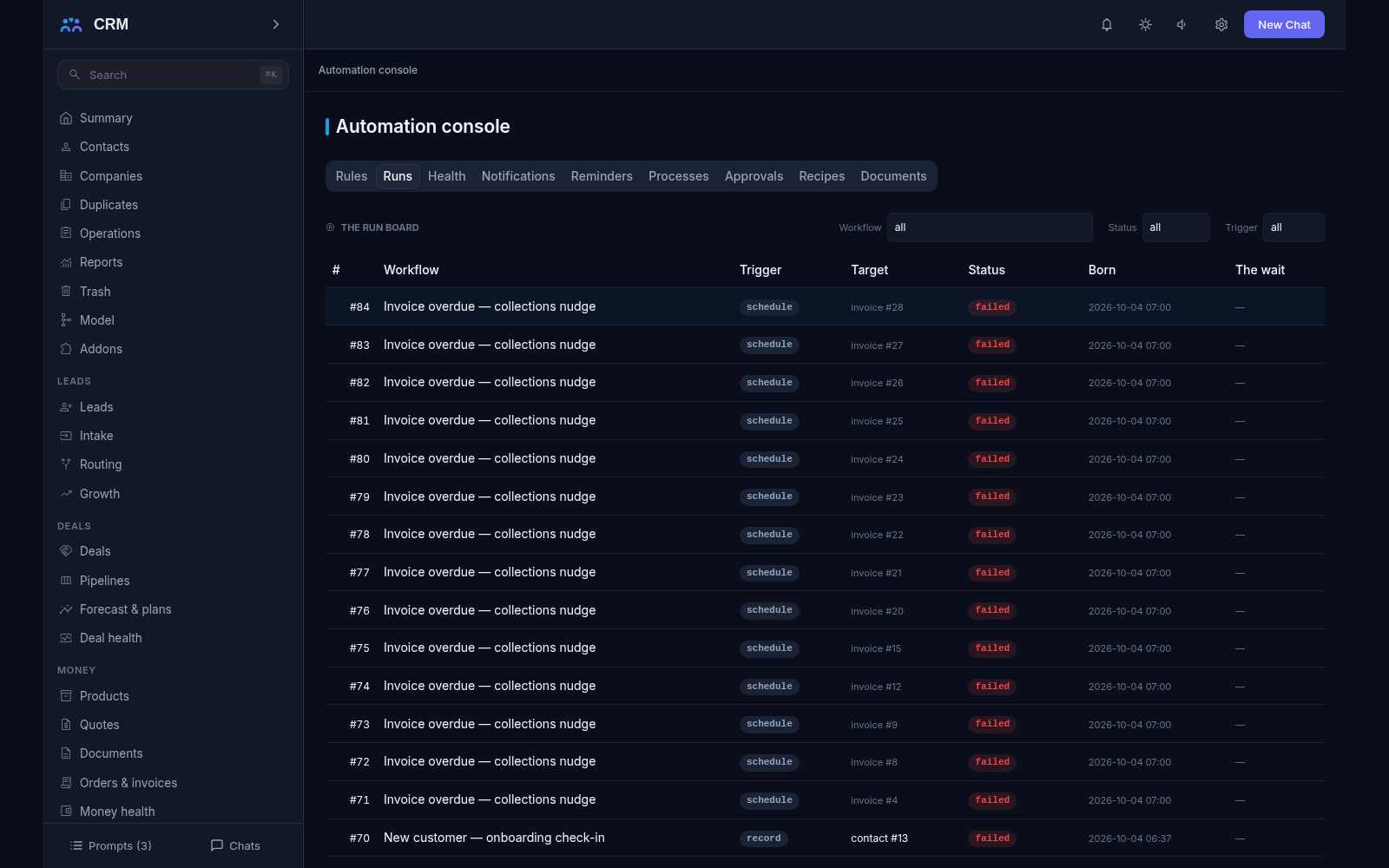
The add-on Automation is the CRM’s robot for routine work: when this happens, do that. A rule can assign an owner, remind about a deadline, send a letter, create a task, move a deal to the next stage or update a field — and it records every run in a journal, so you can always see what happened and why. Where one step is not enough, the same engine walks processes: the same logic as an ordered path with branches, waits and places where a person decides. Everything is managed from the Automation console, whose tabs — Rules, Runs, Health, Notifications, Reminders, Processes, Approvals, Recipes and Documents — show the engine’s work as data.
Why you need it
While there is little work, everything rests on memory: the manager remembers that a customer needs a call back, that a deal should move on, that an invoice is waiting for a signature. At the tenth client and the twentieth rule something always falls through: a deal sits still for a week, a promised letter never leaves, and an important customer goes unnoticed until the complaint call. Routine is invisible until it turns into a loss.
Automation takes that routine off your plate and works around the clock: a rule does not tire, does not go on holiday and does not forget. And it does not hide — every run is visible in the journal, every field change is recorded together with its reason, and before a rule is switched on the product shows a trial count of how many records would fire right now. Automation you can trust is automation you can see.
What it does
- Two forms, one engine. A rule is a short “condition and actions” pair. A process is a path of several steps with branches, returns, waits and places where a human decides. Both dialects run on one executor, so they behave predictably in the same way.
- What starts a run. A record created, changed or deleted (you can watch one specific field), a record entering a stage, a schedule, a manual launch, an external system calling a keyed public address, a product event (a new lead, a ticket, a settled invoice, a signed document), a signal from another rule, or a metric crossing its threshold. Every source the engine can subscribe to is served in one catalog read, and each row names a source that really fires today.
- Conditions are the lists’ own filter. If a rule selects records with the same condition you use in an ordinary list, exactly the same set falls under the rule — the two cannot drift apart. Two extra trigger-side words are added: “the field changed” and “the field was equal to”.
- Placeholders in letters and parameters. Letter bodies and action parameters reference record fields and use a bounded set of functions — join a name, total an amount, format a date. A reference to a field the record does not carry refuses the whole save by name, so a letter with a blank where the customer’s name should be never leaves, and at send any unresolved placeholder refuses the letter rather than sending it.
- What a rule can do. Create or update a record (by match keys, so a repeated run does not make copies), link records, send a letter, send a notification, assign an owner with a decision journal, call an external system, create a task with a mandatory deadline, move a record to another stage through the contour’s own gates, add a fact to the timeline, run a script, and work with sets of records — find them, loop over them and launch over many targets at once.
- Client letters walk one shared gateway. Customer-facing email goes the same way marketing campaigns do: consent, suppression, quiet hours and the shared frequency cap are honoured by construction, while internal notices take the system email path. One occurrence, one letter — a retried run never double-sends.
- Only what changed is written. If a rule sets a field to the value it already holds, nothing happens and the step journals “unchanged”. Every real change is recorded with its old and new value and with a reason — the rule’s name and the fact that fired it — and also lands on the record’s own history.
- A rule never re-triggers itself by default. The engine’s own writes are excluded as a starting cause, and a chain of rules that keep changing each other’s records stops at a visible cap with the whole chain printed in the journal. A per-entity kill switch stops everything on a record instantly, and duplicate births are impossible by construction (the letter key, the create match keys, the webhook idempotency key, the task dedup key).
- A failing rule does not break the record; waiting costs nothing. A run is born as a durable row before anything executes and walks in its own scope, so a failed action leaves the card saved and the error verbatim in the journal. A run that waits — on a delay or on an event — holds no thread and no timer: the wait is one indexed row that the sweep wakes at the right moment, with separate roads for an arrival and for a timeout. The send-window step walks your business calendar, and on a boot without calendars it says honestly that it used the wall clock.
- Working with sets of records. A rule can find records by a condition, walk them in a loop (at most three levels deep) and launch over many targets at once. Each target in a bulk launch keeps its own status row, so partial success is an honest outcome and one failing item never fails the rest.
- A trial run before switching on, and a quiet mode for the big moments. Activation demands a counting pass younger than the last edit — “this rule would fire on N records now” — and a bulk launch shows how many records will be touched and how many letters or tasks come out of it, with no guessing. During a data import the rules watching that record type can be paused and restored as one verb pair, exactly the set that was paused; a maintenance window holds the whole contour loudly, and when it lifts each rule catches up by its own missed-window policy.
- Retries, a dead letter and health as data. A failed run retries at three levels: inside the step, by a manager verb that re-runs from the failed step, and by an automatic sweep while the rule’s own budget lasts. An exhausted run parks in the dead letter with the partner’s error text verbatim, and the rule’s seated owner is notified once. The Health tab answers without guesswork — runs in flight, failures with their denominator, waiting runs, the slowest run — and the dead-rules report lists rules that have not matched for ninety days or never matched at all, with the question “who asked for this and why” beside them.
- People in the flow, recipes and documents. Processes carry user tasks with deadlines and an approval family over threshold grids: a request reminds at its deadline, escalates one window later and expires at three times the deadline — but a person always decides, and the decision journal is append-only by construction. Ready-made recipes install as definitions in one step (a repeat install never doubles anything), and document automation prepares the money contour’s paper and fires on signature events without making copies on a re-run.
How it relates to other add-ons
Automation requires no other add-on: its required list is empty, so it switches on by itself on the core spine and can be enabled in the smallest installation. A few individual actions still lean on other add-ons and refuse honestly when they are missing: client letters go through the Marketing gateway, a stage move walks the Deals gates, paper and signature events come from Money, the send window walks the SLA calendars, a notice lands through the Notifications bell, and running your own code is an action of the Scripts add-on. A refusal always names what is missing, and the remaining steps of the rule still run. Switching this add-on off hides its surfaces and keeps the data it wrote; the standing contour engines — deal automation, marketing journeys, lead routing, service queues and the ticket and lead SLA contours — keep their own surfaces, and no rule or document asks them to migrate.
Honest limits
- There is no code inside a rule. Letter bodies and parameters allow field references and simple functions only; anything that needs a real program lives in the Scripts add-on and is called as a separate action.
- There is no drawn canvas with arrows and shapes. A process is described as an ordered list of nodes and the order in which they run, and the full modelling notation of dedicated BPMN tools (pools, lanes, simulation) is a named never.
- Automation never decides instead of a person. Approvals, rework and expiry are roads the process walks, but the verdict is always human; the management key that drives the whole product cannot cast an approval decision, and portal users never see automation surfaces at all.
- The standing contour engines do not move onto the generic builder and are not switched off by it: deal automation, marketing journeys, lead routing, service queues and the SLA contours are separate sets of surfaces, and no document proposes moving them here.
- Secrets for external calls are stored write-only. You can put them in, you cannot read them back, and they never appear in journals or exports.
- Calls to internal addresses are closed by default: an outgoing call into your own network refuses until an administrator explicitly allows that address.
- A cascade of rules that change each other’s records stops at the foreseen cap with the chain written to the journal — endless ping-pong between rules is not allowed.
All add-ons → Add-ons catalogue
More in the documentation: Automation: Rules & Processes